RECORDCITE
Appellate record extracts & case-law research

From the record
to the cite.

One Maryland appellate workspace: assemble court-ready record extracts — paginated, stamped, with a cover and linked table of contents — then cite them back into your brief and research the case law without leaving the matter.

779 ppsample extract
35 docsauto-sorted & stamped
4 volssplit at the 300-pg cap
~45kMaryland opinions
RecordCite screenshot
The record extract

Upload your filings. Get a filed-ready extract.

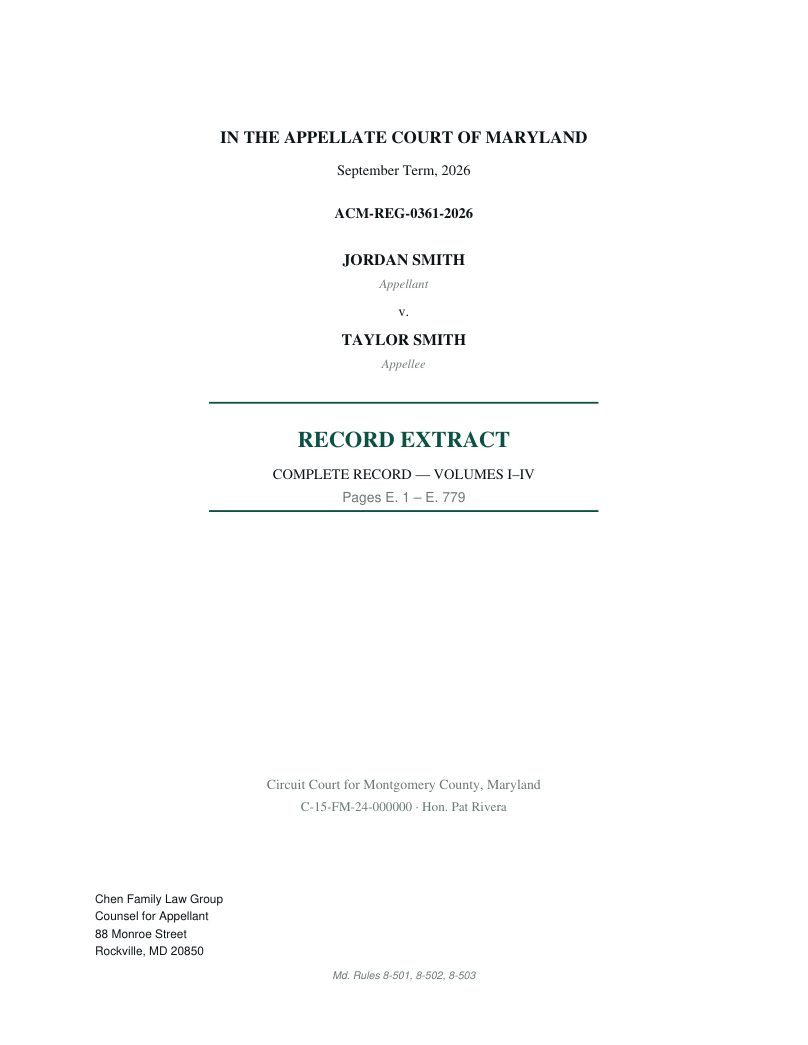
Drop in the pleadings, transcripts, and exhibits. RecordCite paginates the whole record with an E. prefix, stamps every page, adds each document's filing-date header, builds the cover and a linked table of contents, and splits the volumes at Maryland's 300-page cap — never breaking a document across a volume.

Cover — Md. Rules 8-501/502/503
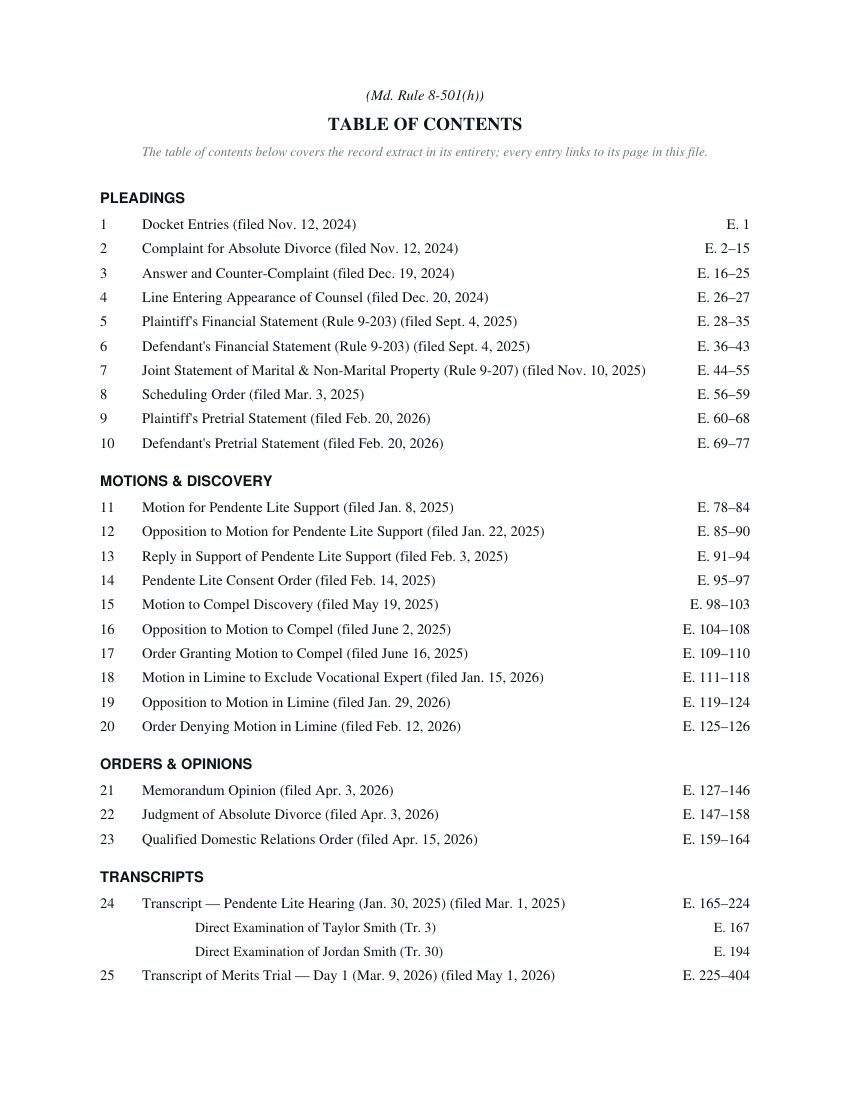
Sectioned TOC — each transcript broken into direct / cross / redirect, every entry linked
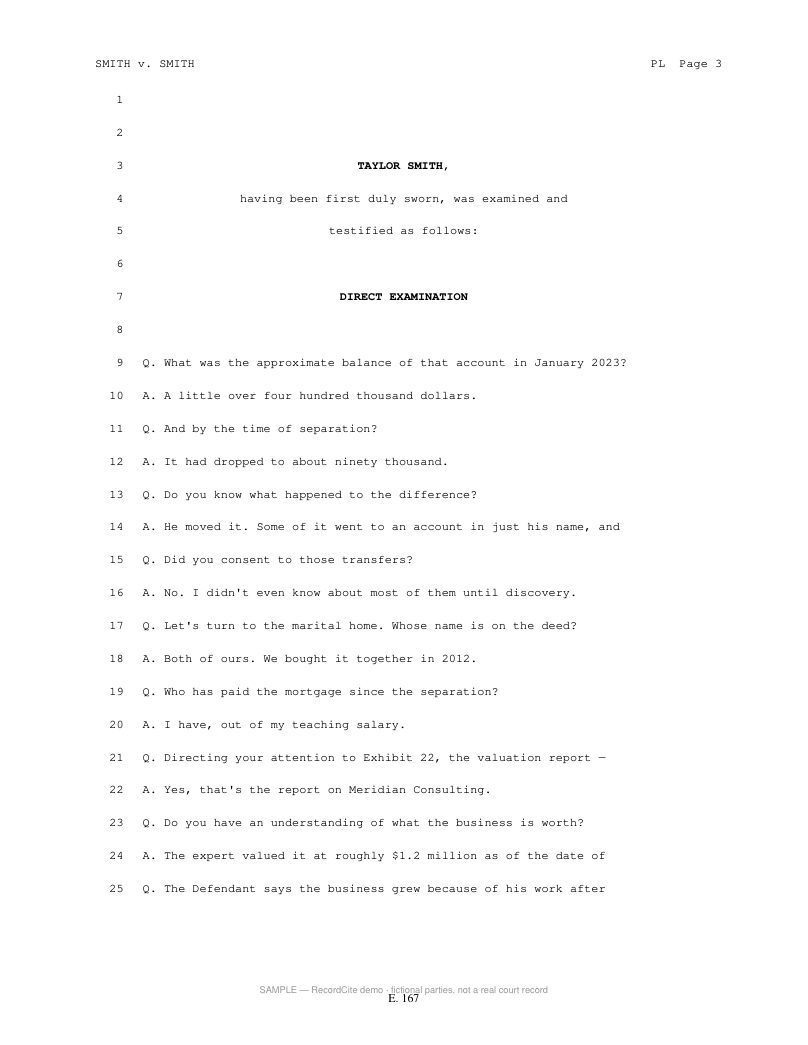
Every page E-stamped; original transcript pagination kept
Auto file-stamping

Consecutive “E.” pages across every volume, in the corner you choose, on hundreds of pages at once.

Sectioned, down to the witness

Group by pleadings, motions, orders, transcripts, exhibits — and break each transcript into its direct, cross, and redirect examinations, all linked (Rule 8-501(h)).

Volume packing

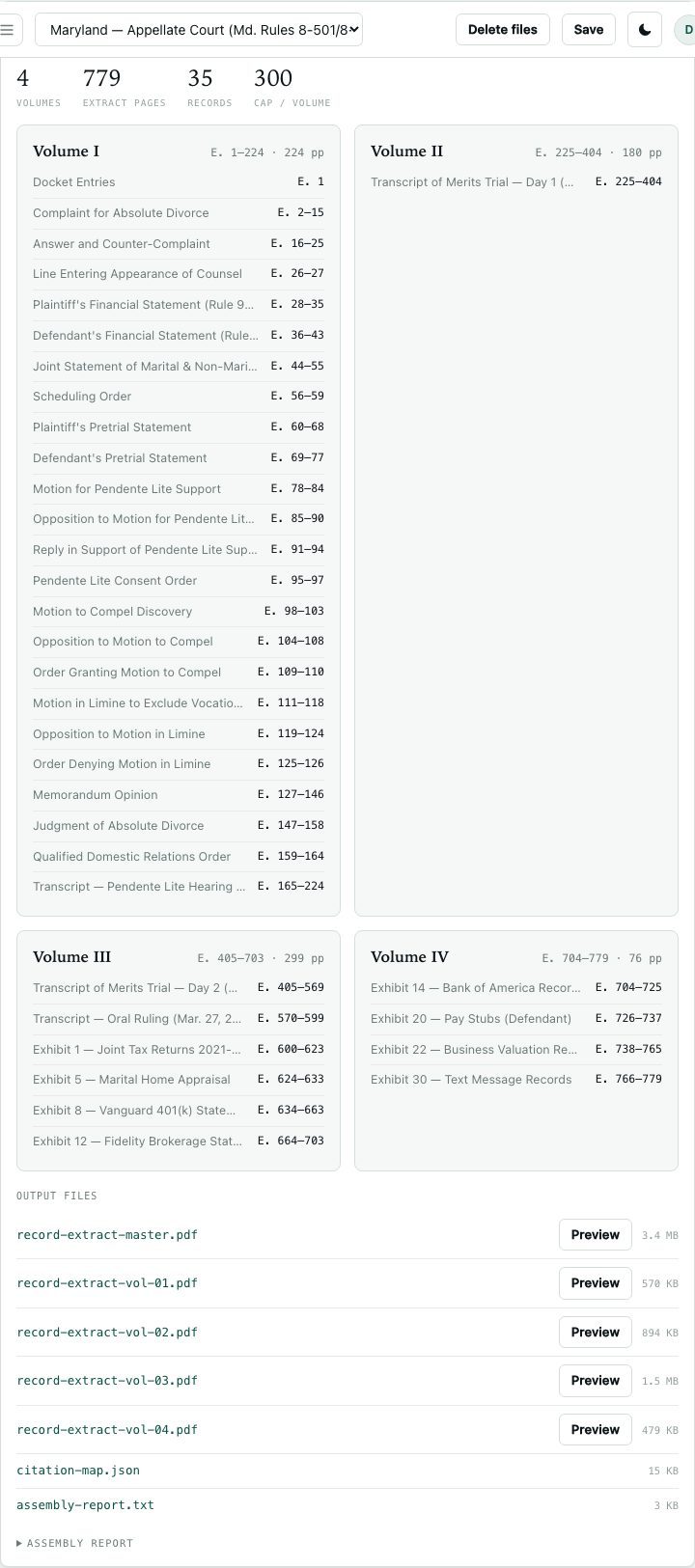
Splits at the 300-page cap and keeps each document intact — a volume closes early rather than cut a transcript in half.

Filing-date headers

Each document carries “Filed: <date>” per Rule 8-501(i); its position and the page-number position are yours to set.

Scanned exhibits handled

Rotated / sideways scans are stamped correctly, and the whole extract can be OCR’d fully searchable.

Compliance check

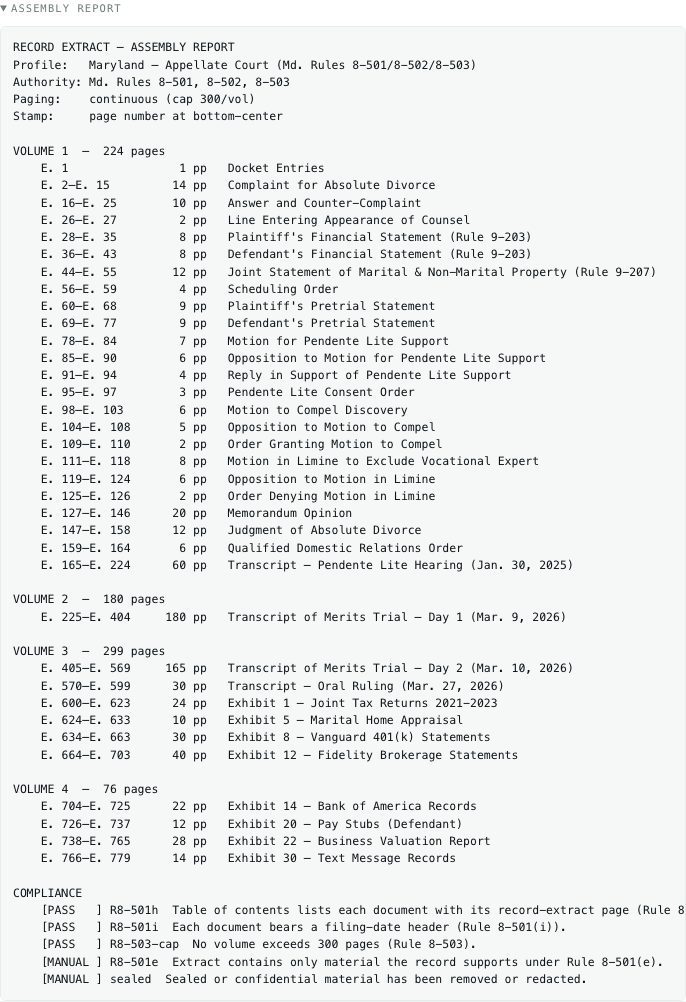
A built-in checklist verifies TOC, filing headers, and the volume cap before you file.

The workspace

Arrange, split, and verify — before you build.

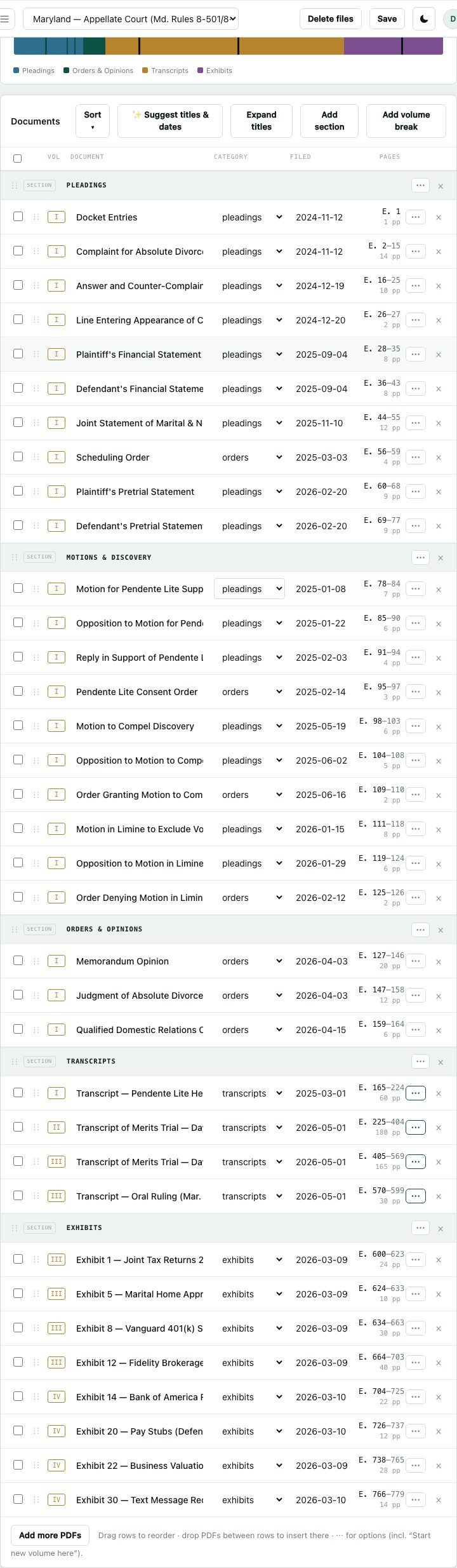
Drop your PDFs in and drag them into order. RecordCite lays out the whole record live — a color-coded page map, sections, automatic volume splits, and every E-page range computed as you go, with a compliance check against Md. Rules 8-501/502/503.

Organize — color-coded page map, sections, and volume badges; drag to reorder
Output — every volume and its E-range, computed live
A filing-ready assembly report + compliance checklist
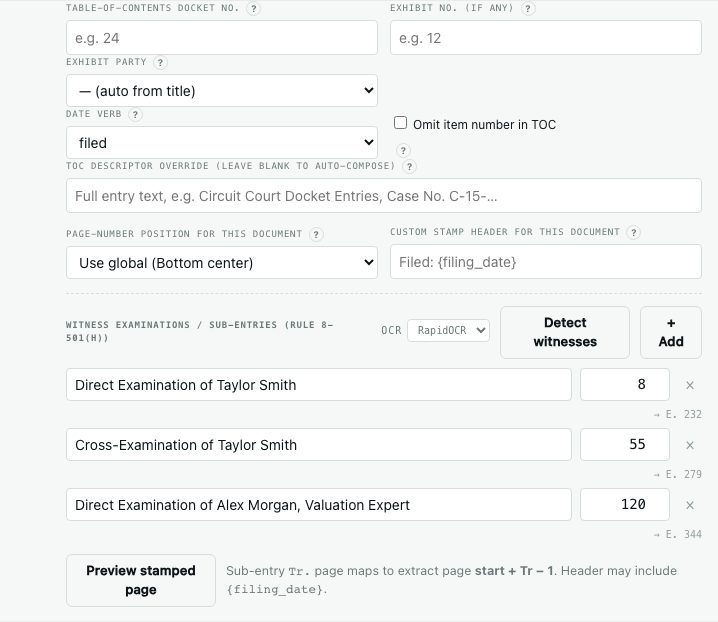
Per-document control — docket / exhibit numbers and OCR-detected witness examinations
Stamp it your way. The E-page number and the “Filed: <date>” header each sit wherever you want — any corner, top or bottom — set globally and overridable per document, with a live stamped-page preview before you build.
Brief cites

Turn a draft into a filed brief.

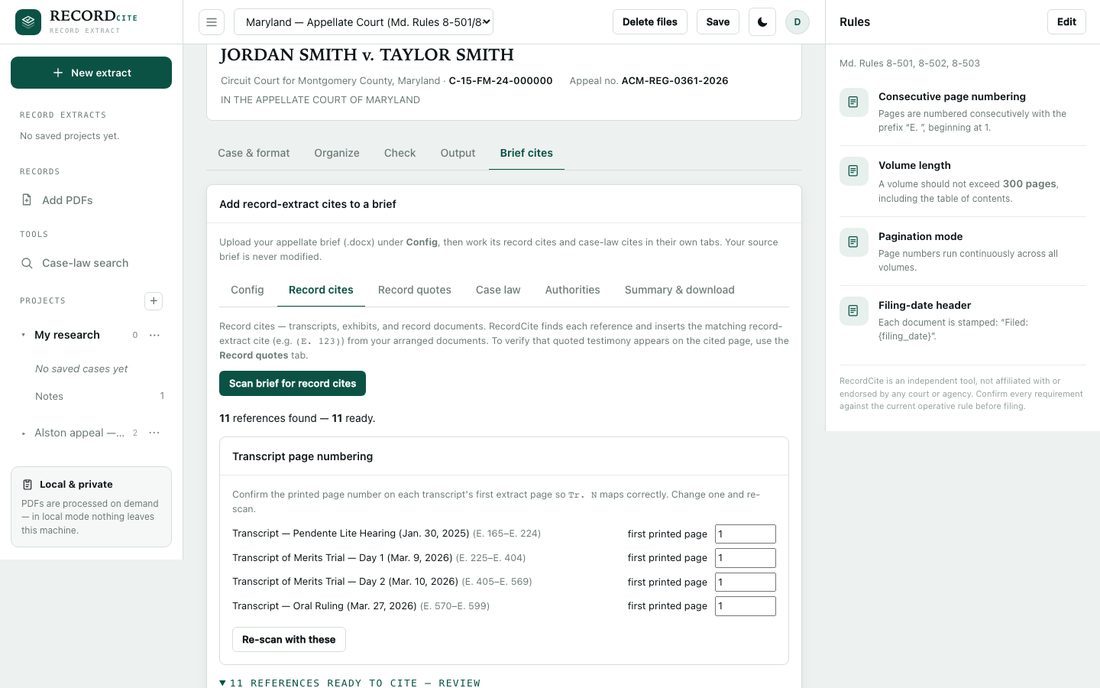
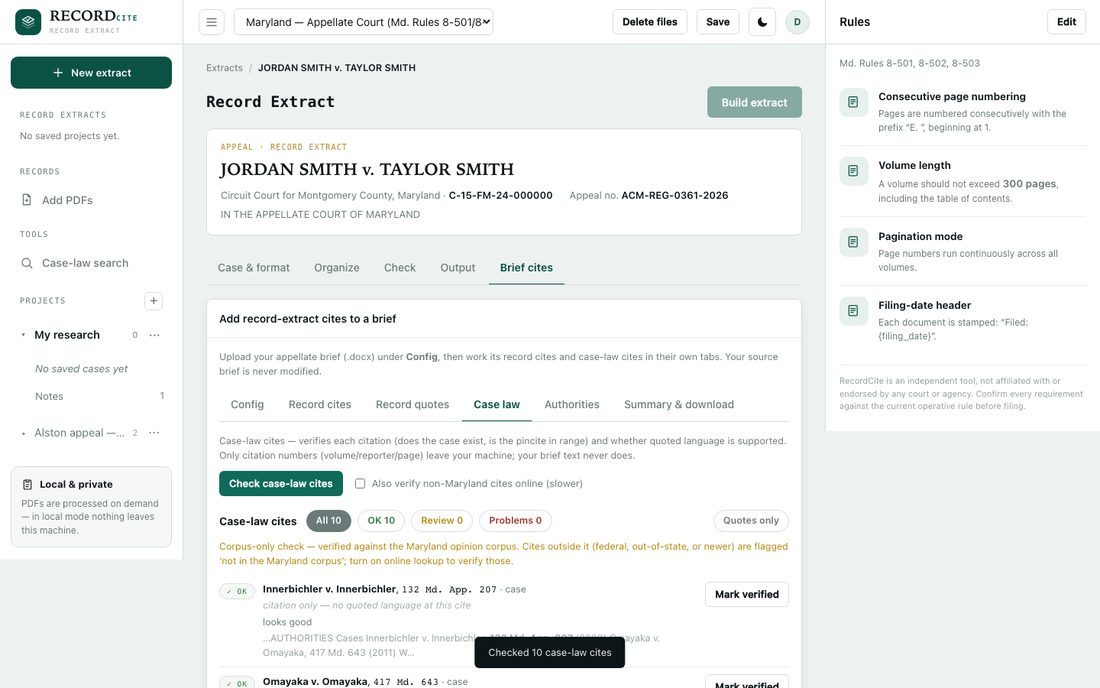
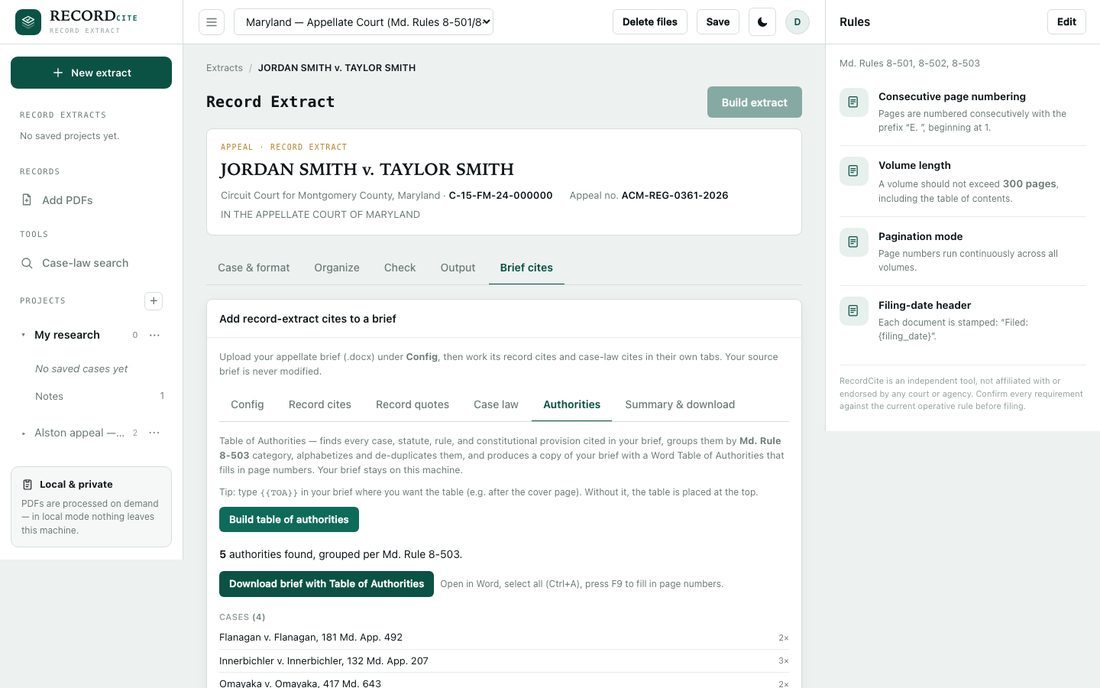
Point RecordCite at your draft. It converts trial shorthand into extract cites, verifies every case citation against the Maryland corpus, and builds a Rule 8-503 Table of Authorities. Your brief is uploaded over an encrypted connection, checked, then deleted automatically — only the citations, never your brief’s text, ever reach an outside service.

Record cites — “Tr. 45” / “Ex. 12” become (E. 269) / (E. 664–703), pinpoints and all
Case-law check — every cite verified against the MD opinion corpus
Table of Authorities — grouped per Rule 8-503, alphabetized, de-duplicated
Record-cite finder

Finds transcript, exhibit, and docket references — including dates and pinpoints — and inserts the matching (E. __) page.

Case-law verification

Confirms each case exists and the pincite is in range, flagging anything to review.

One-click TOA

Downloads a copy of your brief with a Word Table of Authorities that fills in its own page numbers.

House shorthand, taught once

Paste a real cite — DX-19, HT10th-P44:L16-18, PX-53@P10,P12 — and RecordCite maps it to the right transcript or party.

Case-law research

Search by meaning. Read like a lawyer.

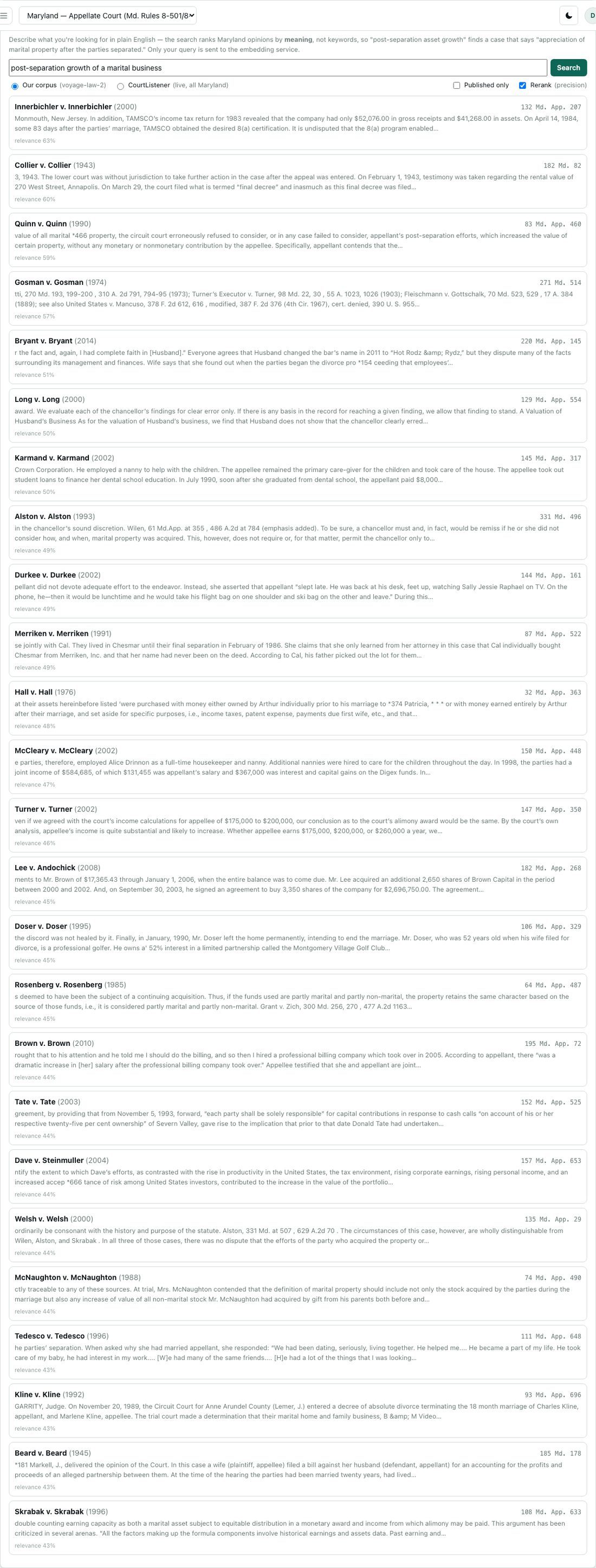
Search the full Maryland appellate corpus in plain English — RecordCite ranks opinions by meaning, not keywords — or by exact quote. Then read them in a tabbed reader that keeps your place across every case you open.

Natural-language search (voyage-law-2) — ranked by relevance
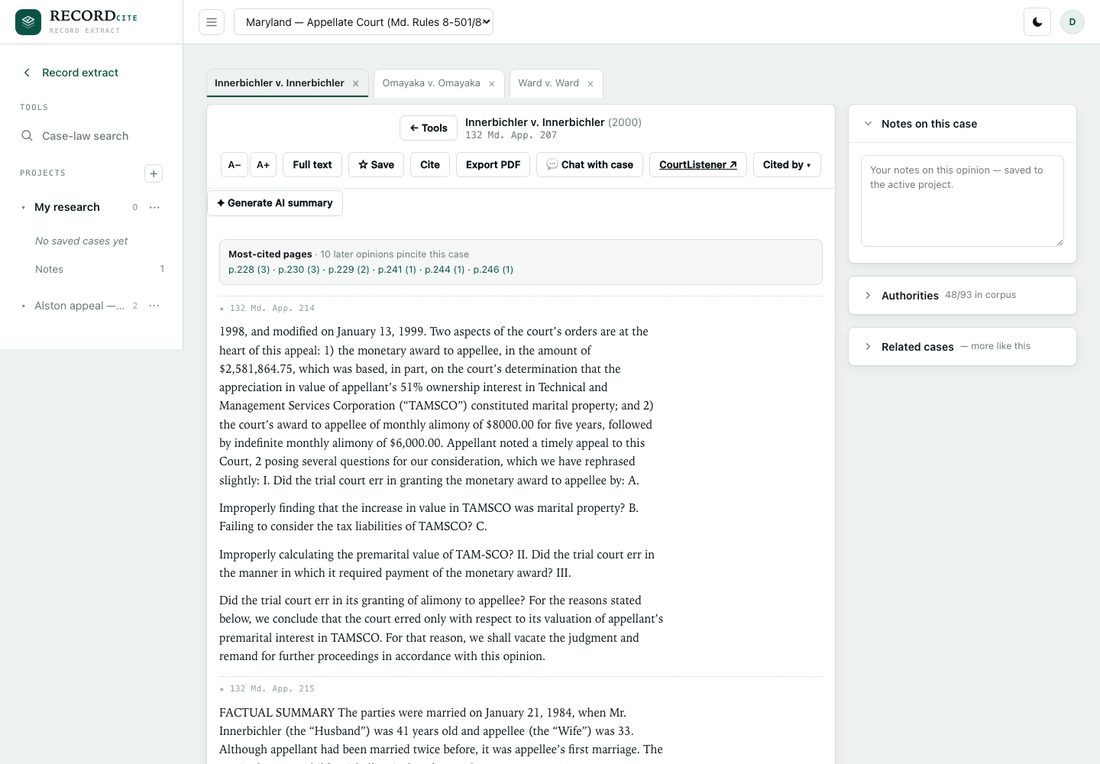
Tabbed reader — several opinions at once; each keeps its scroll, authorities, and notes
Meaning, not keywords

Describe the issue in plain English and get semantically-ranked Maryland opinions with a relevance score.

Exact-quote lookup

Paste a quotation and find the opinion it came from — plus optional live CourtListener search.

Multi-case tabs

Follow a citation without losing your place — every case opens in its own tab.

Case-law research

Every citation, connected — and yours to annotate.

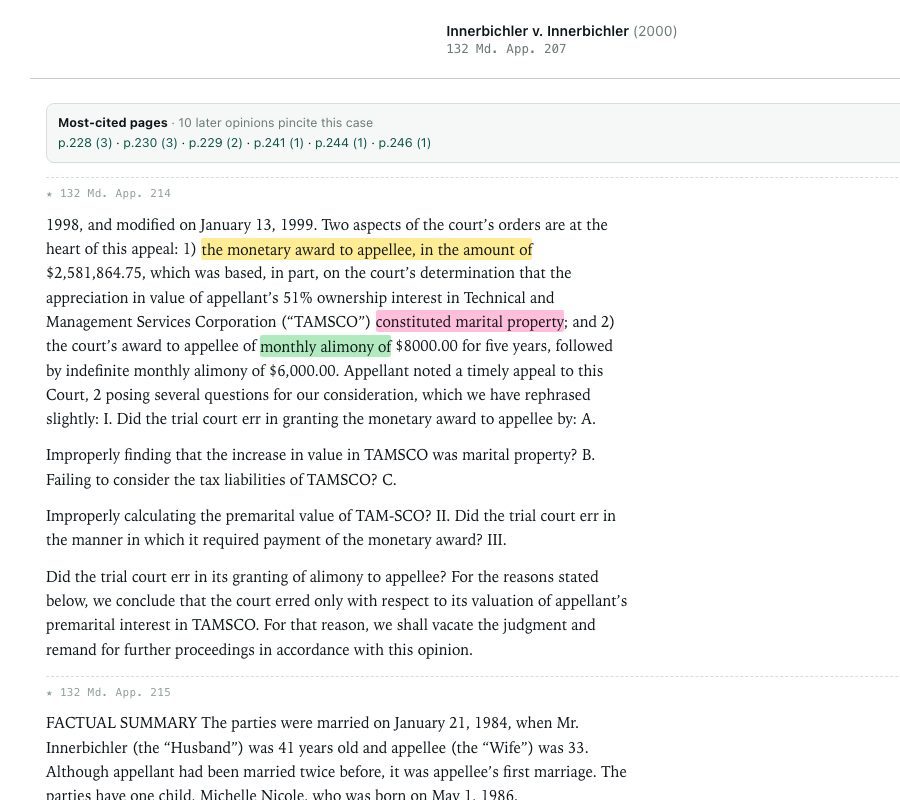
Each opinion arrives with its table of authorities, the later cases that cite it, and every inline citation turned into a hyperlink to the case at the pincite — then mark it up in five highlight colors, copy a quote already cited, and export a clean copy with your highlights intact.

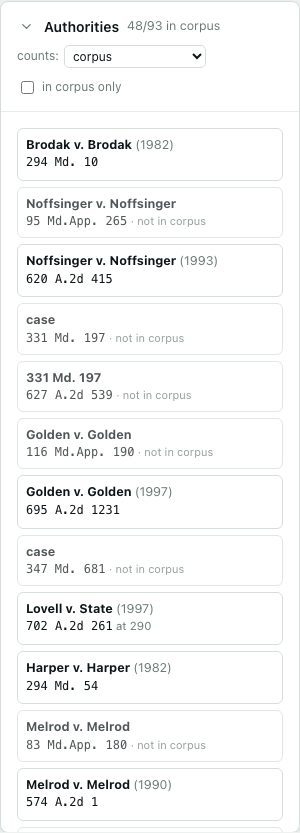
Table of authorities — every cited case, linked to the corpus
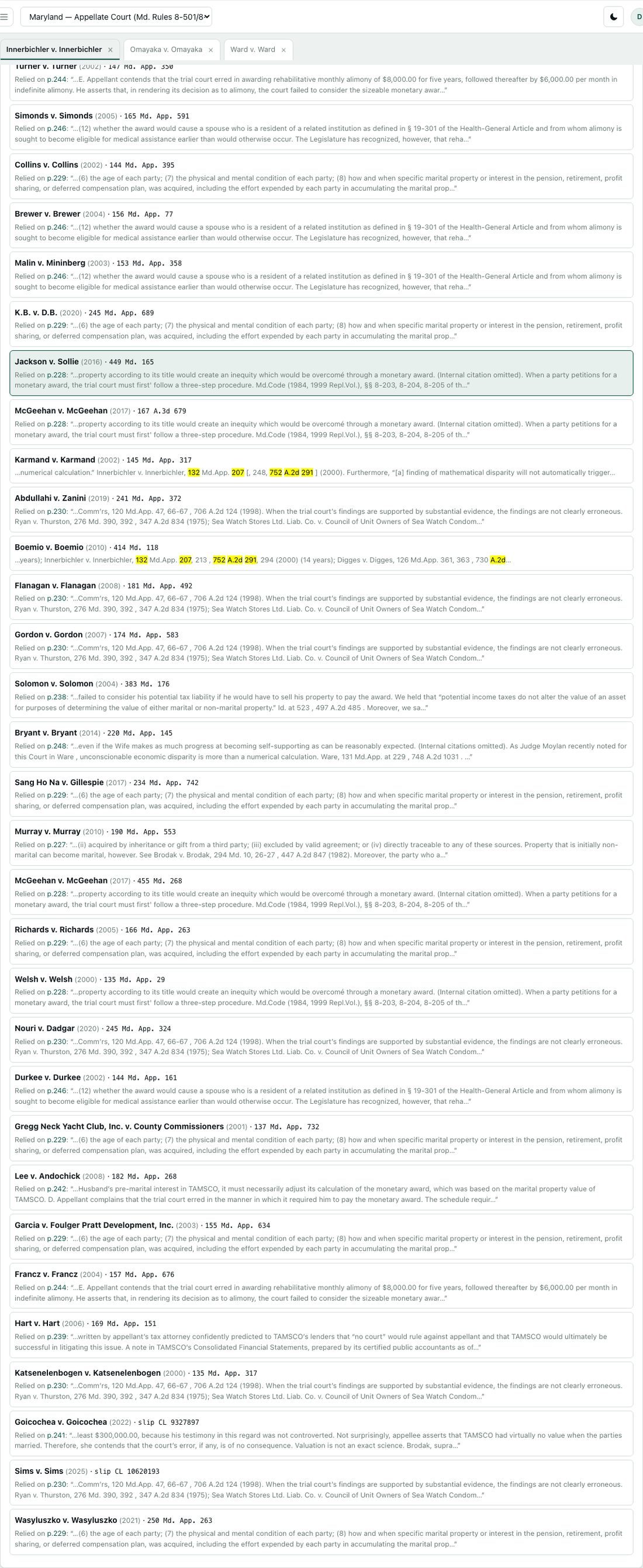
Cited by — later opinions relying on this case, each with its citing passage
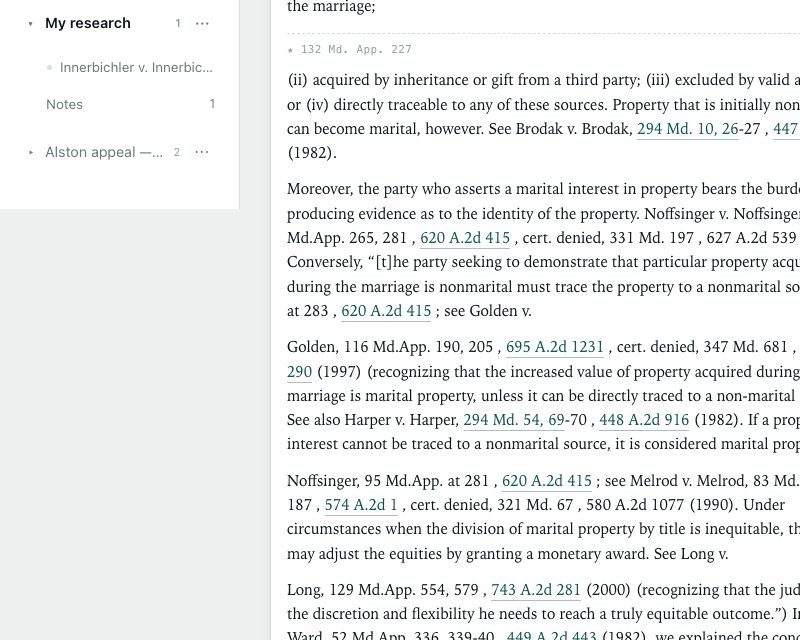
Hyperlinked pincites — every citation jumps to that case at the exact page
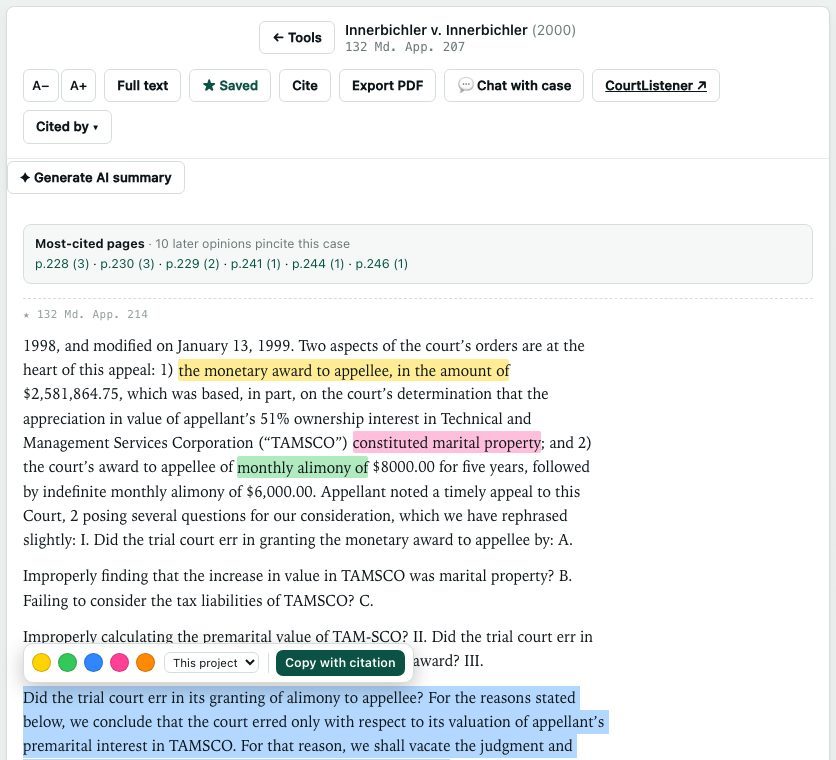
Highlight in five colors and tag each with a topic
Export PDF — a clean copy of the opinion with your highlights preserved
The marital portion of a business must be distinguished from post-separation efforts.
⧉ Copy with citation
Pasted into your brief

“The marital portion of a business must be distinguished from post-separation efforts.” Innerbichler v. Innerbichler, 132 Md. App. 207, 234 (2000).

Case-law research

Organize every matter.

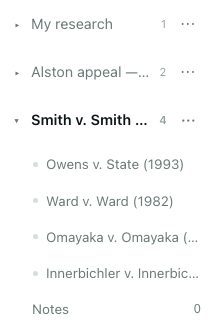
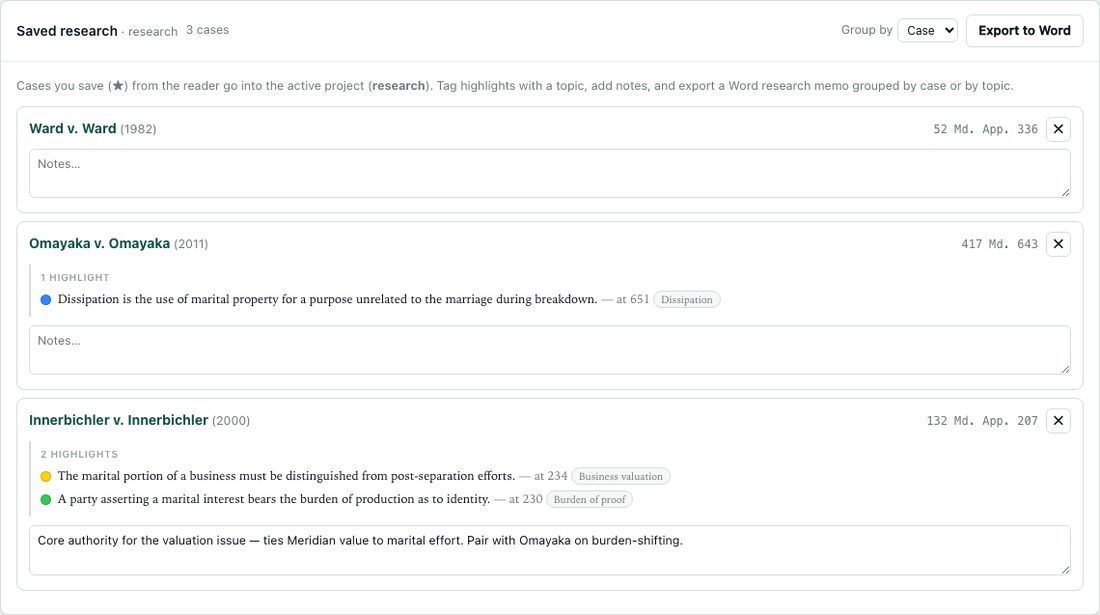
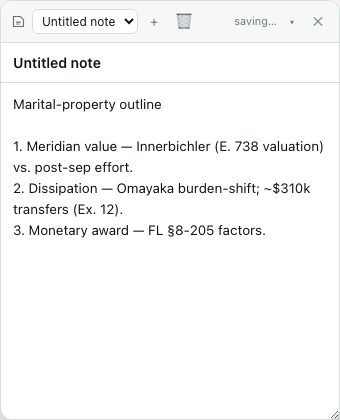
Save cases into matter folders in the sidebar — each opinion nests under its project, and your highlights and notes come with it. Open a project's research view to see every saved case with its highlight digest and notes, then export a Word memo. A floating scratchpad keeps cross-case notes at hand.

Projects in the sidebar — saved cases show up as children of the matter
The project's research view — each case with its highlight digest and notes
A floating notes scratchpad for outlines and cross-case notes
Cases as children

Every saved case nests under its matter; switch matters and the reader, highlights, and notes follow.

Research view & Word memo

See all saved cases with their highlighted passages and notes, then export a memo grouped by case or by topic.

Floating notes

A draggable scratchpad for outlines that span cases — always one keystroke away.

FAQ

Common questions

What is a Maryland record extract?
Under Maryland Rules 8-501 to 8-503, the record extract is the paginated, tabbed excerpt of the trial-court record that is filed with an appellate brief. RecordCite assembles it — continuous “E.” pagination, a cover, a linked table of contents, and a filing-date header on every document.
How does RecordCite paginate and stamp a record extract?
It stamps every page with a consecutive “E.” number in the corner you choose, adds each document’s “Filed: <date>” header, breaks each transcript into its direct, cross, and redirect examinations in the table of contents, and splits volumes at the 300-page cap without cutting a document in half.
Can RecordCite check the citations in my appellate brief?
Yes. It converts trial shorthand such as “Tr. 45” and “Ex. 12” into the matching (E. __) extract pages, verifies every case citation against the Maryland opinion corpus, and builds a Rule 8-503 Table of Authorities. Your brief is uploaded over an encrypted connection, checked, and deleted automatically — only the citations themselves, never your brief’s text, are sent to any outside service.
Does RecordCite search Maryland case law?
Yes. Search roughly 45,000 Maryland appellate opinions by meaning (natural language) or by exact quote, read them with their table of authorities, “cited by” list, and hyperlinked pincites, highlight and take notes, and organize cases into matter folders with a Word research memo.
Is my data kept private?
Uploaded records and briefs are processed on demand and deleted automatically — we don’t retain them or use them to train anything, and each firm’s data is walled off from every other’s. Only citation tokens (never your brief’s text) are sent to any third-party service.
Which Maryland courts does RecordCite support?
RecordCite is built for the Appellate Court of Maryland and the Supreme Court of Maryland, following Maryland Rules 8-501, 8-502, and 8-503 for record extracts.