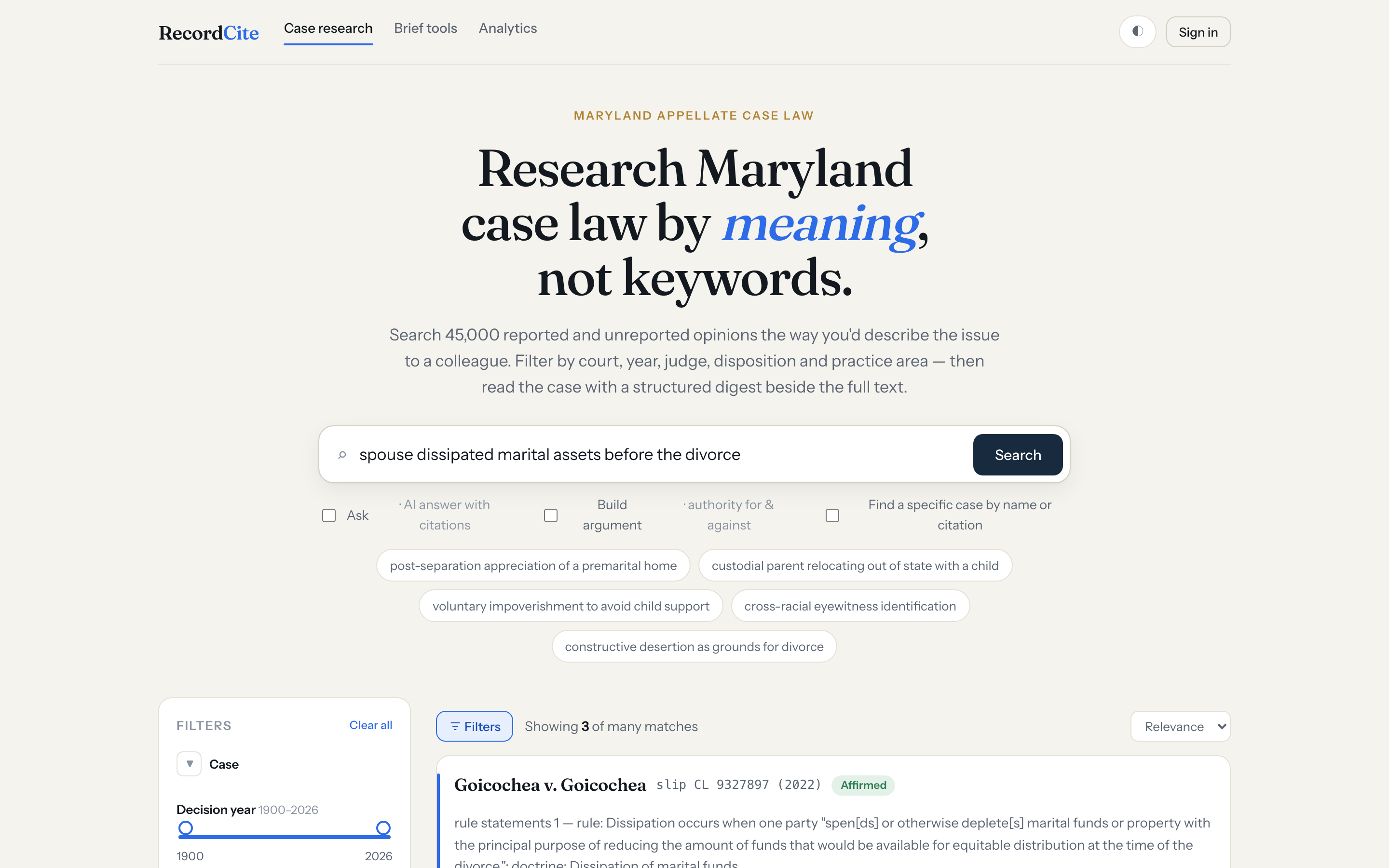
Natural-language search
Describe the issue in plain English. Semantic search over 45,000+ Maryland appellate opinions surfaces the on-point cases even when they don't share your wording — ranked, with the passage that matched.
Semantic search over 45,000+ reported and unreported opinions, an annotating reader, a full citator, brief-checking tools, and AI that only ever cites real cases — built for Maryland practice.
Search built for how lawyers actually look for cases.
Describe the issue in plain English. Semantic search over 45,000+ Maryland appellate opinions surfaces the on-point cases even when they don't share your wording — ranked, with the passage that matched.
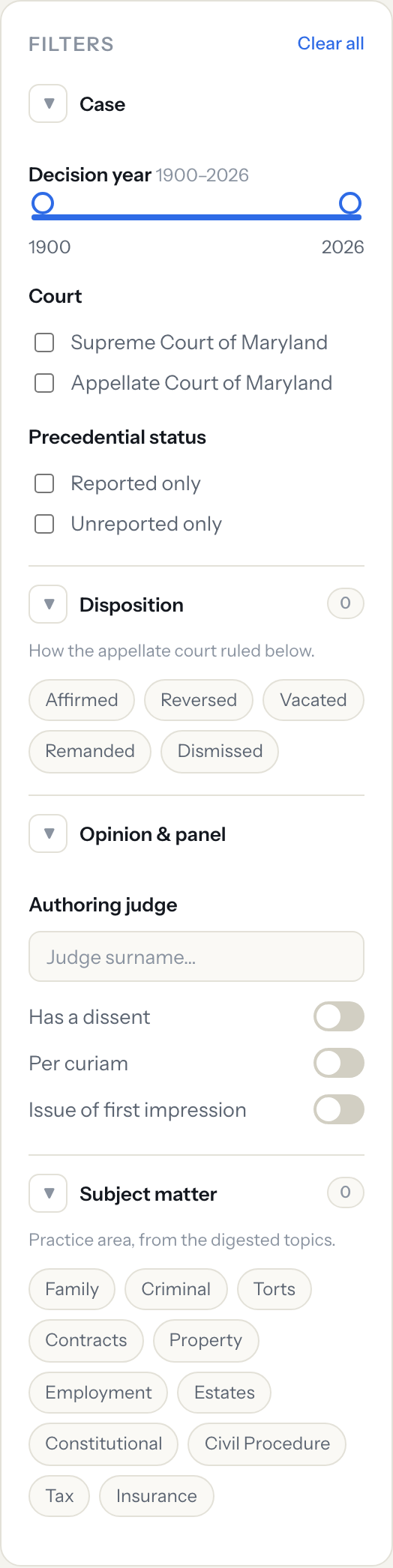
Narrow to the Supreme Court or Appellate Court of Maryland, a year range, a disposition, or a practice area — the result count updates as you go.
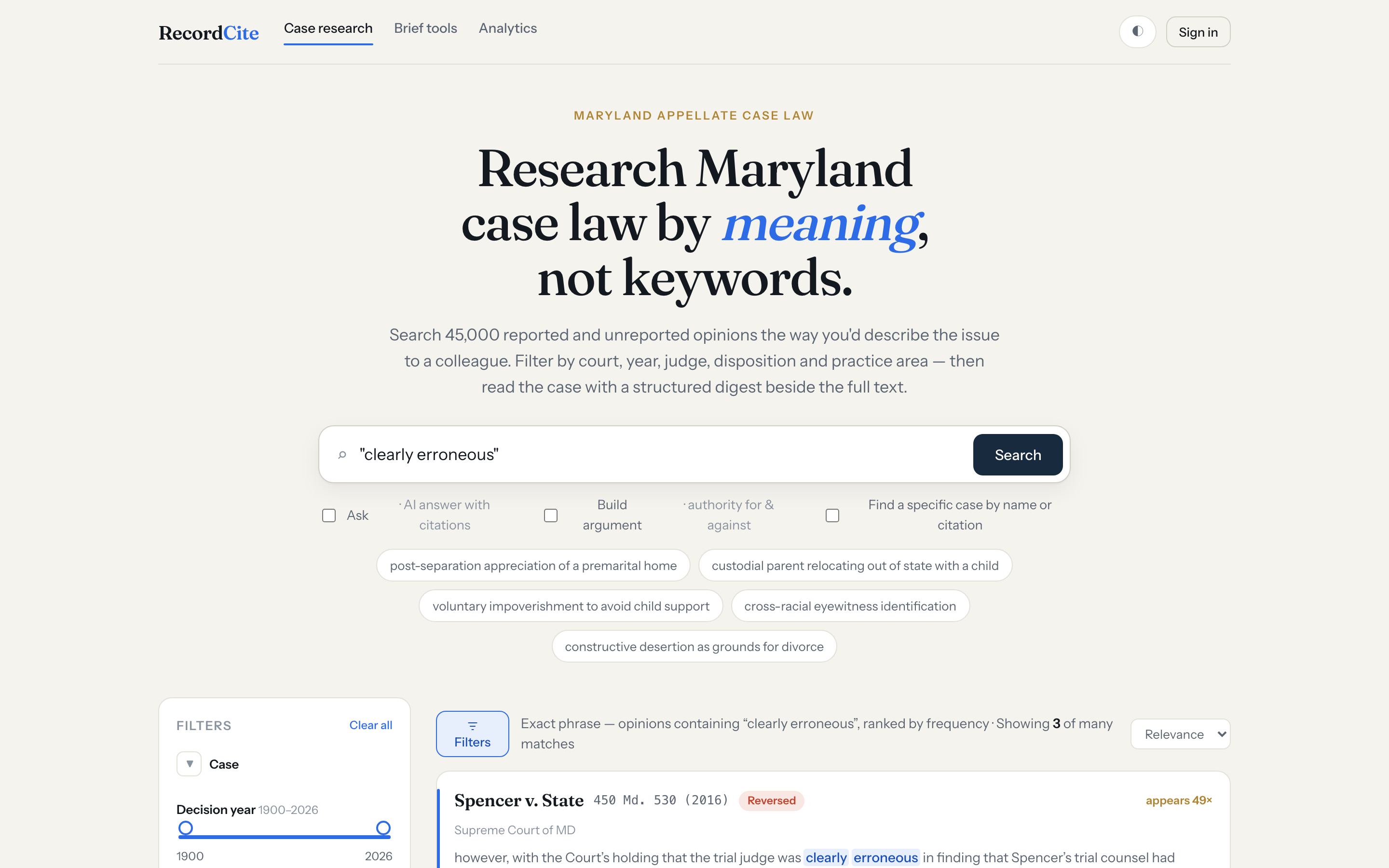
Wrap a phrase in quotes to find every opinion that uses it verbatim — ranked by how often it appears, with a highlighted excerpt. Paste a quote to trace it to its source.
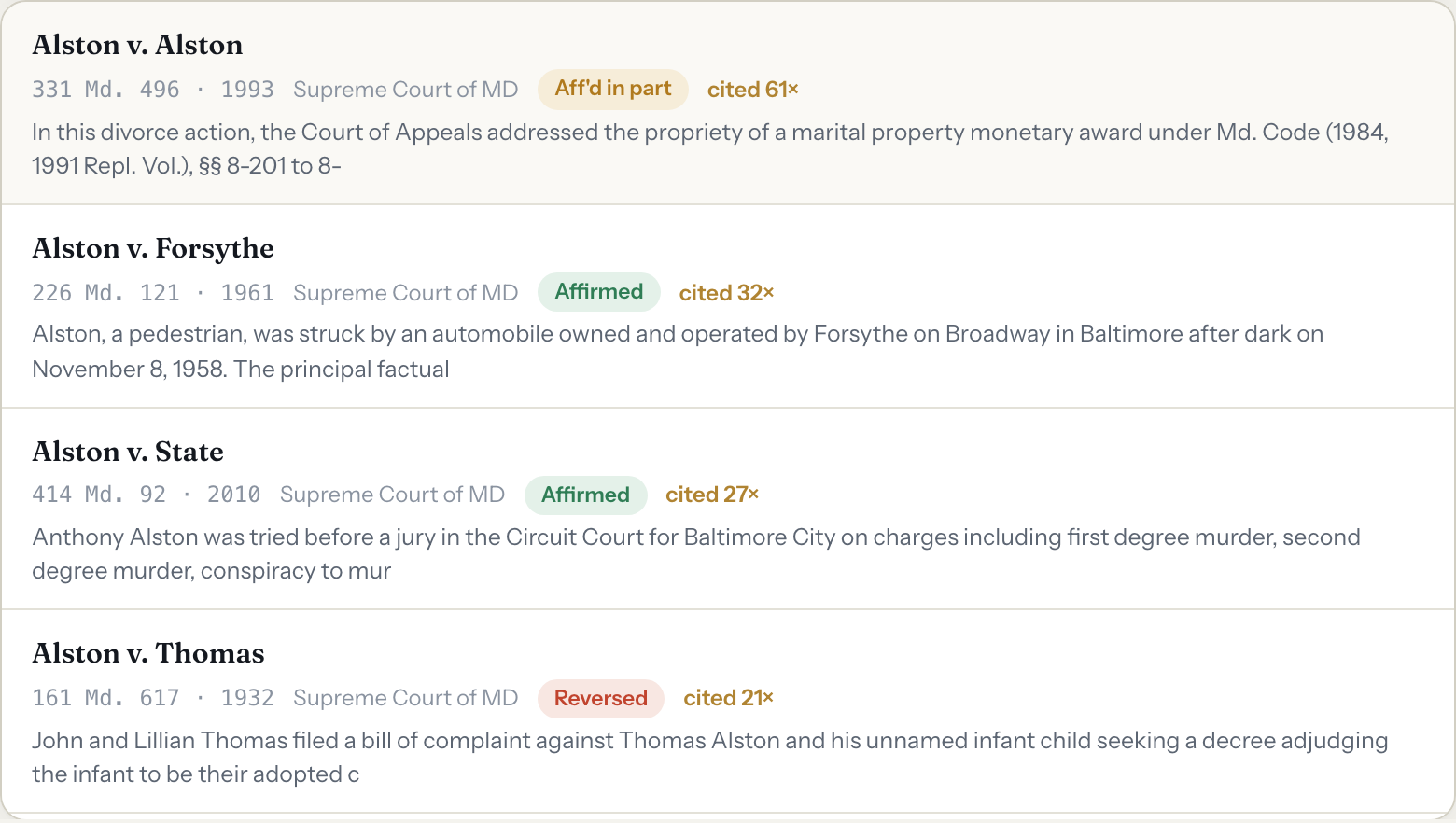
Know the case already? Switch to lookup mode and type a name or citation for instant typeahead straight into the reader.
A full opinion reader with the annotation tools you'd expect.
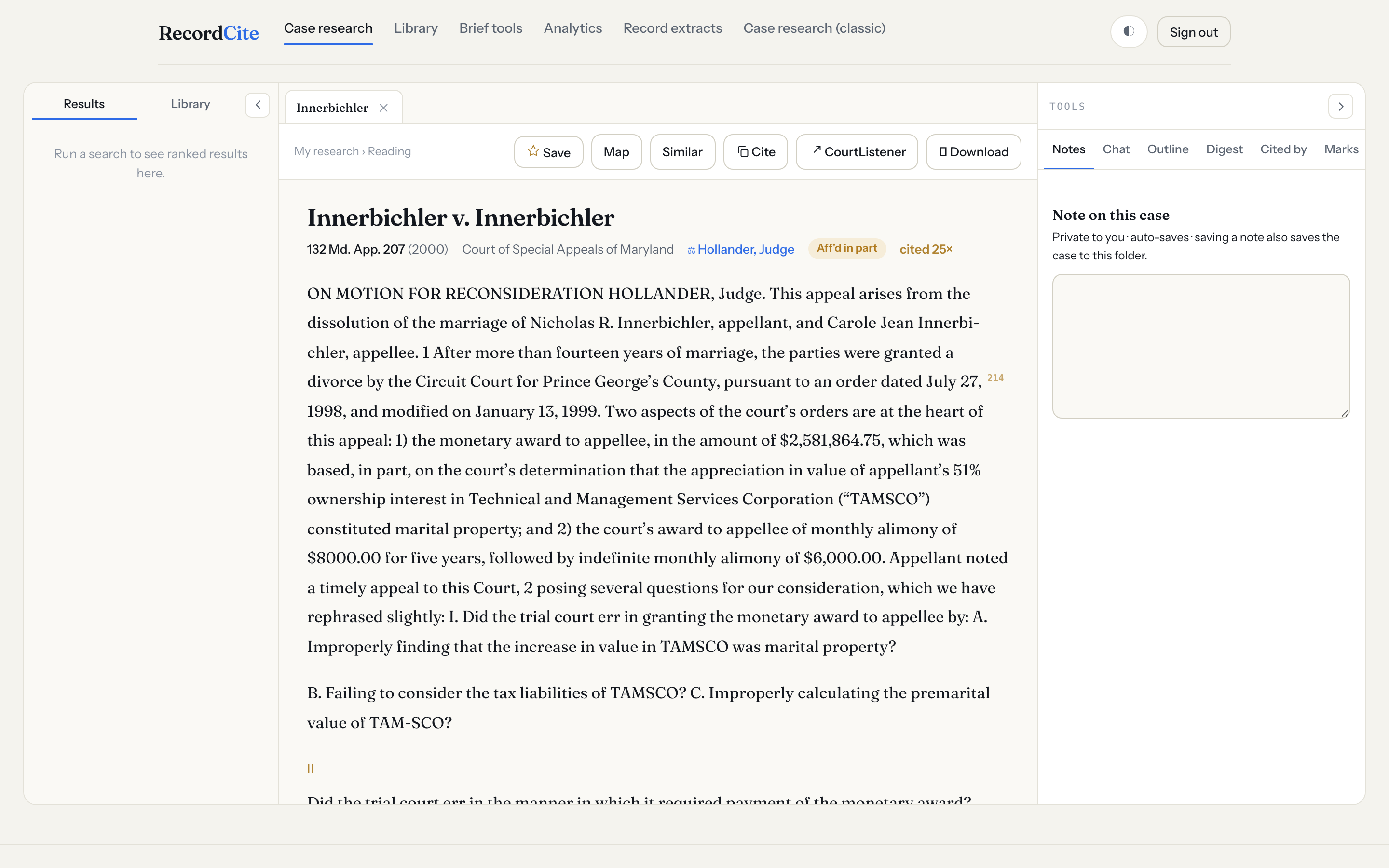
Full opinion text in the center, your results and saved-case library on the left, and Notes / Chat / Outline / Digest / Cited-by / Marks on the right. Panels collapse when you want just the opinion.
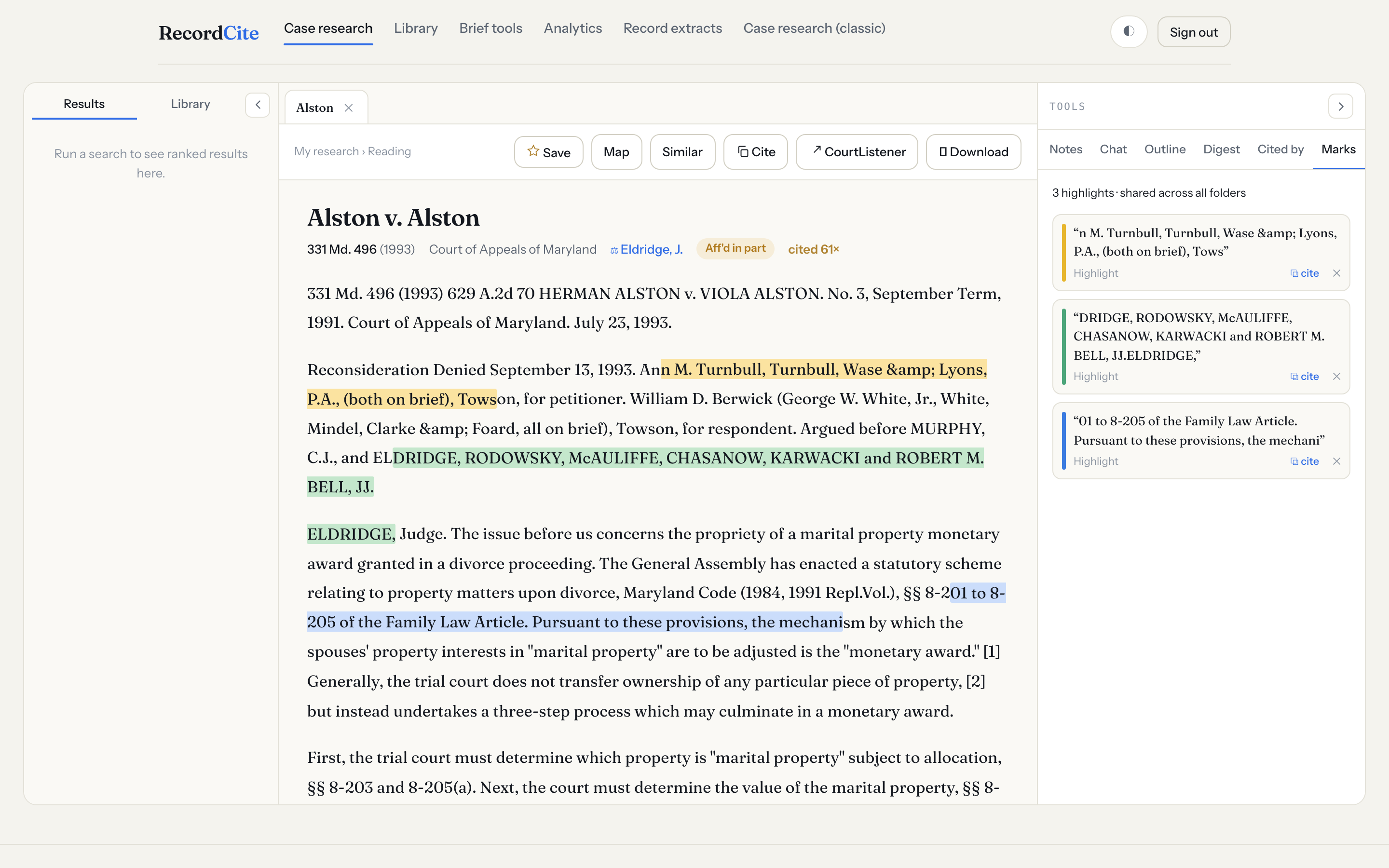
Highlight passages in four colors; they're saved to your research and repaint every time you reopen the case. Click a saved highlight to jump back to it in the text.
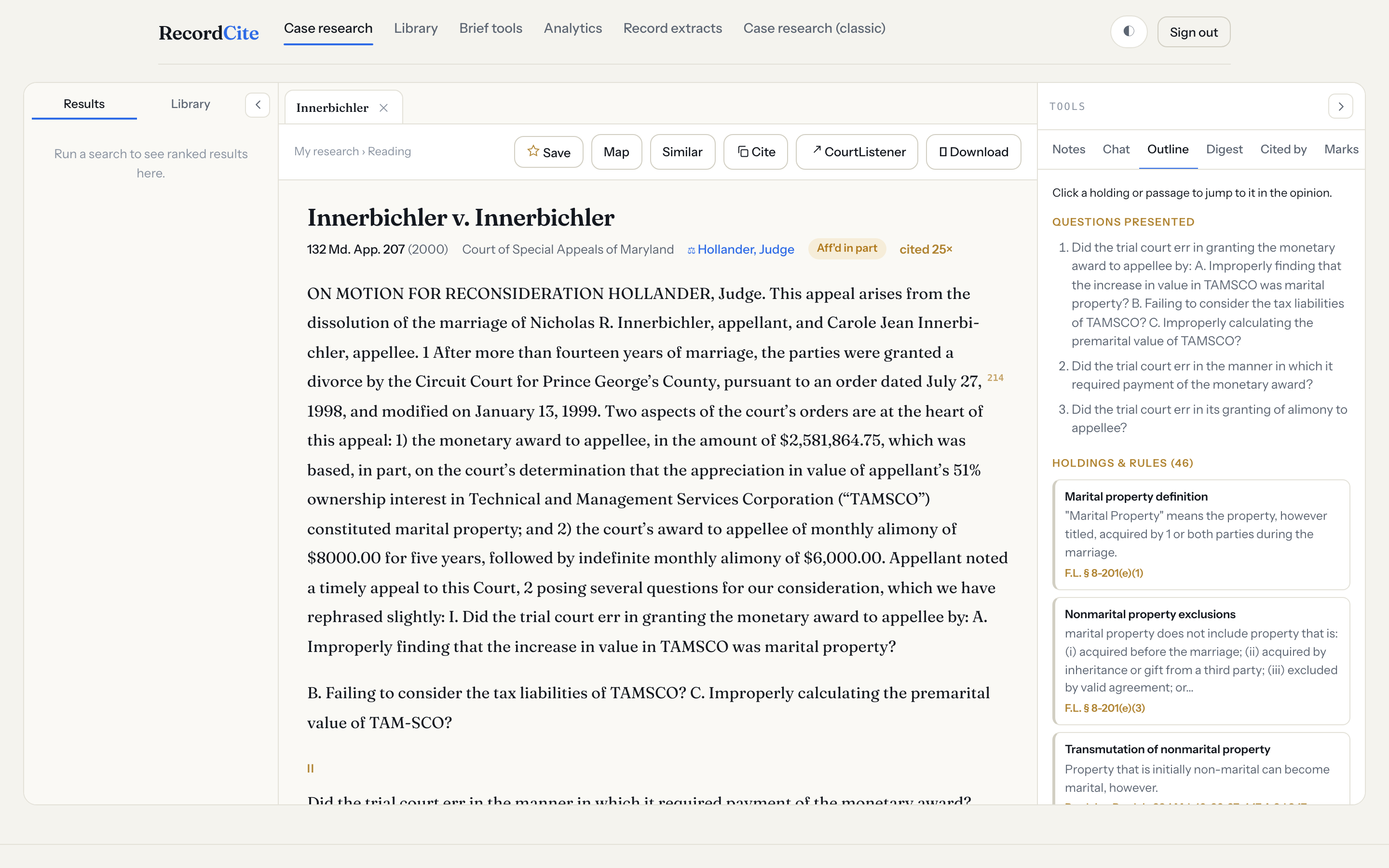
An auto-built table of contents — questions presented, holdings grouped by doctrine, and key passages. Click any entry to scroll to it in the opinion.
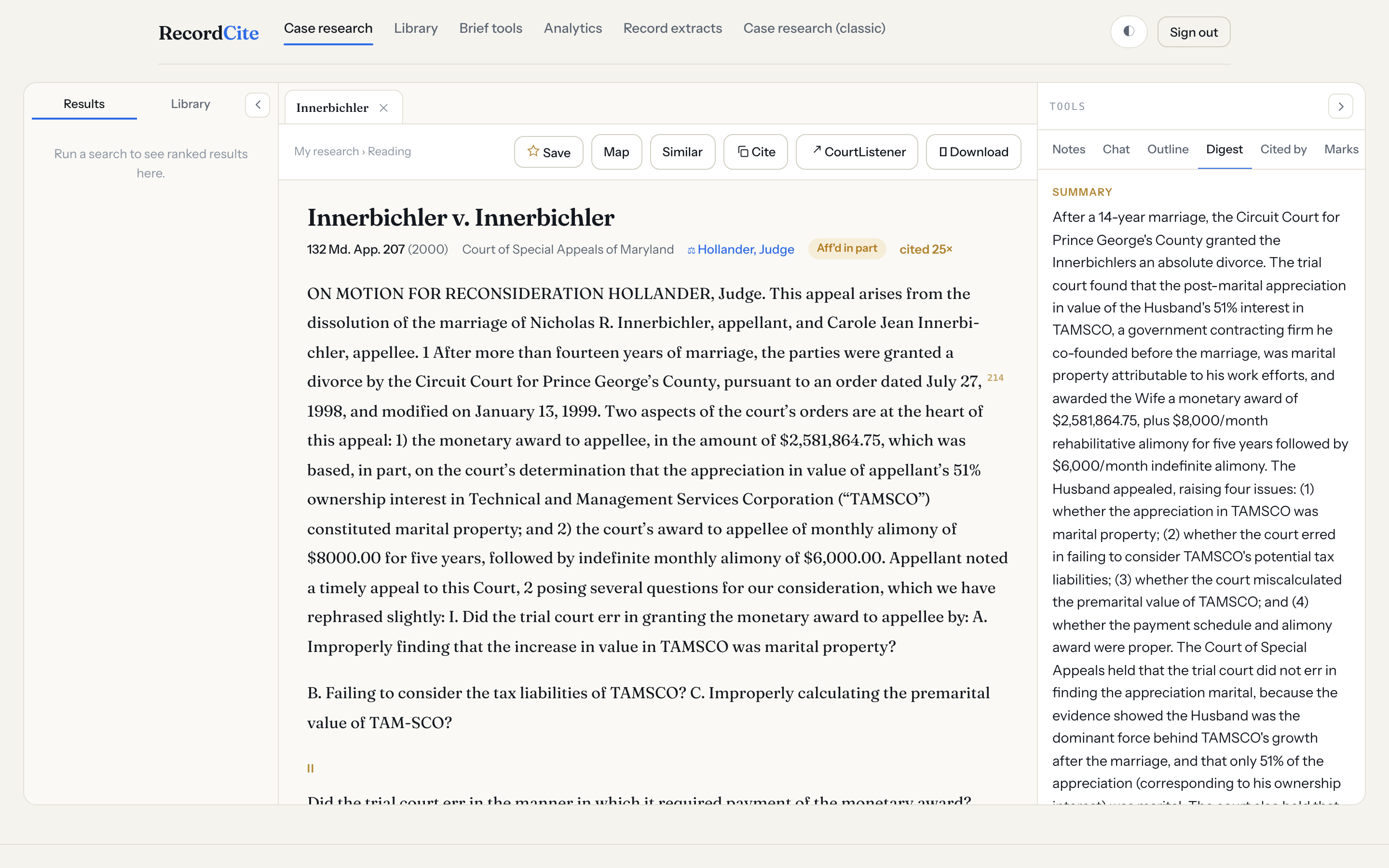
A 50-field digest of every case — summary, facts, questions presented, holdings, rule statements, points of law, notable quotes, and the statutes it construes.
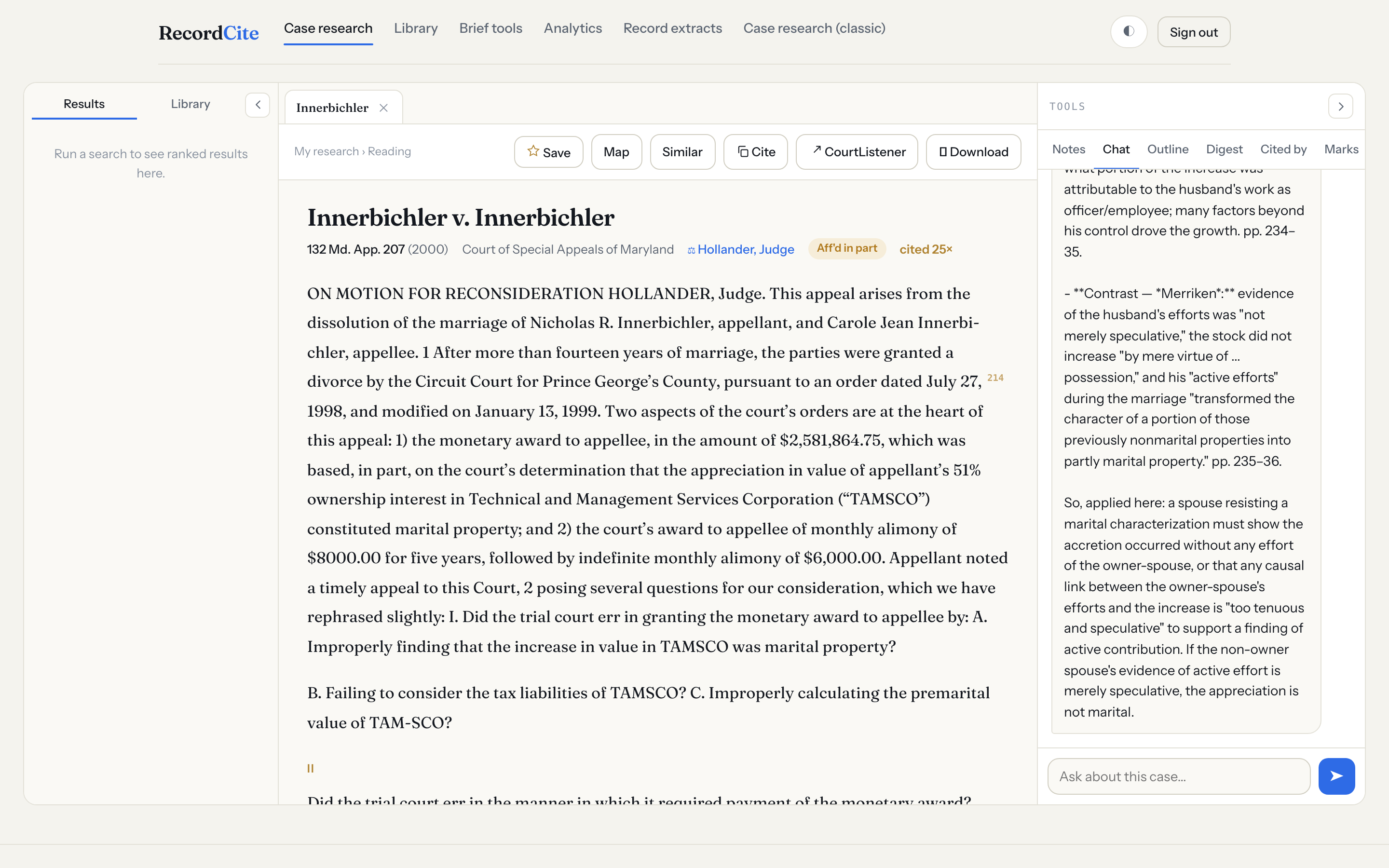
Ask questions about the opinion you're reading and get answers grounded in its text — the transcript is saved with the case, so you can pick the conversation back up later.
Know how a case stands and how it connects.
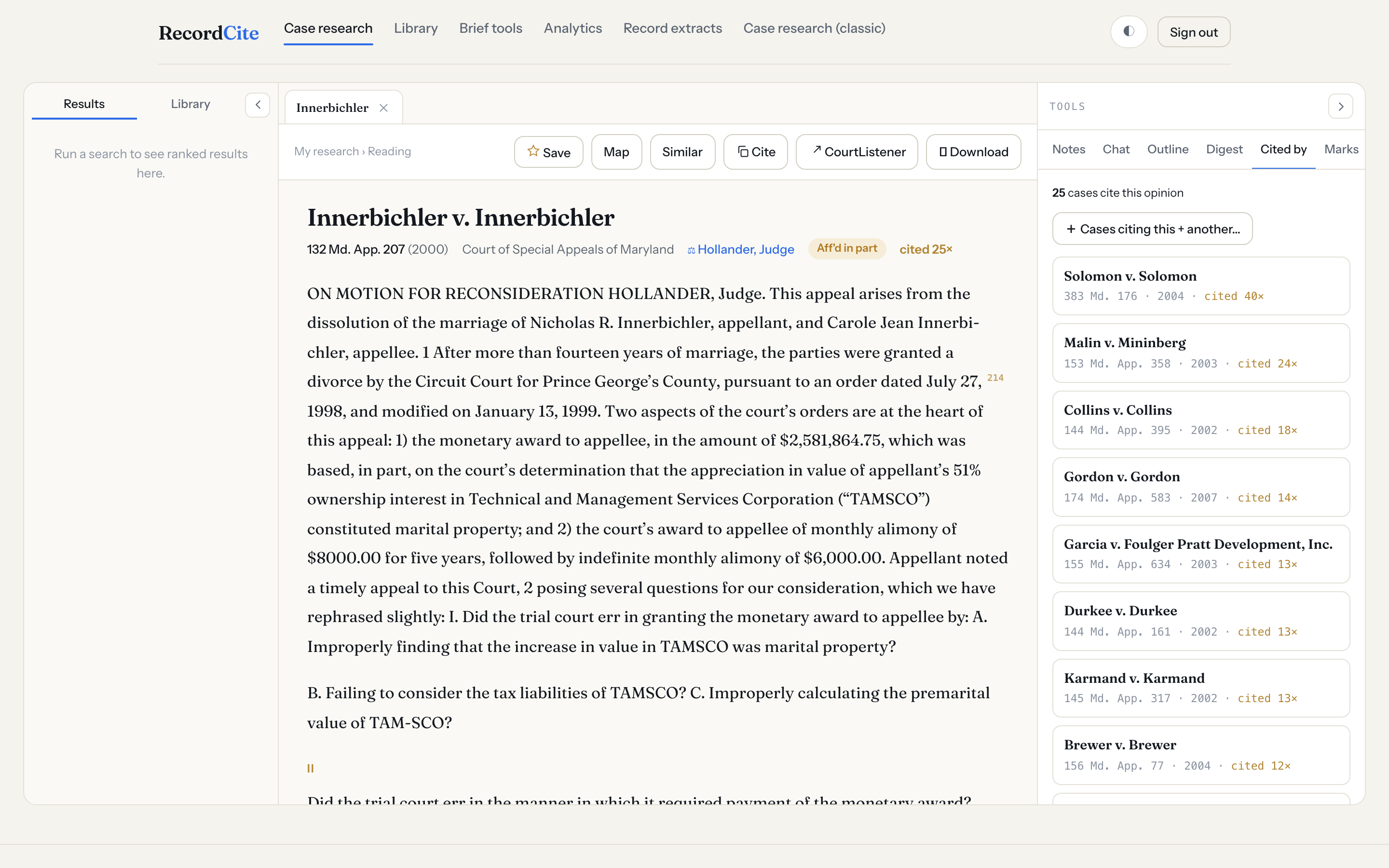
Every opinion in the corpus that cites the case you're reading, ranked by the citing case's own authority. Add a second case to find opinions citing both.
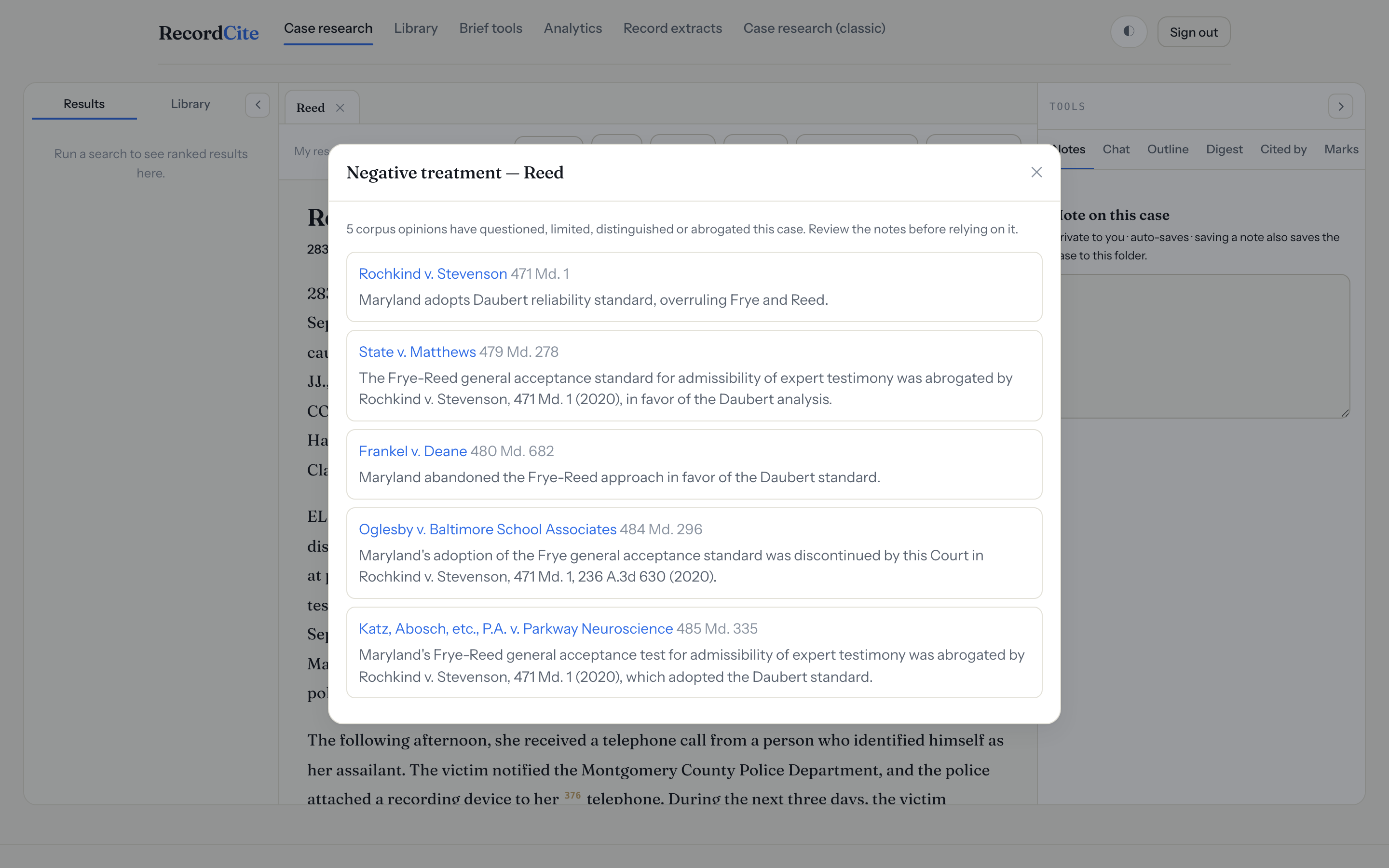
A red flag warns when a case has been overruled, abrogated, superseded, or questioned by later Maryland opinions — click it to see exactly which cases treated it and how. (A lower court can't negatively treat a higher court, so those aren't flagged.)
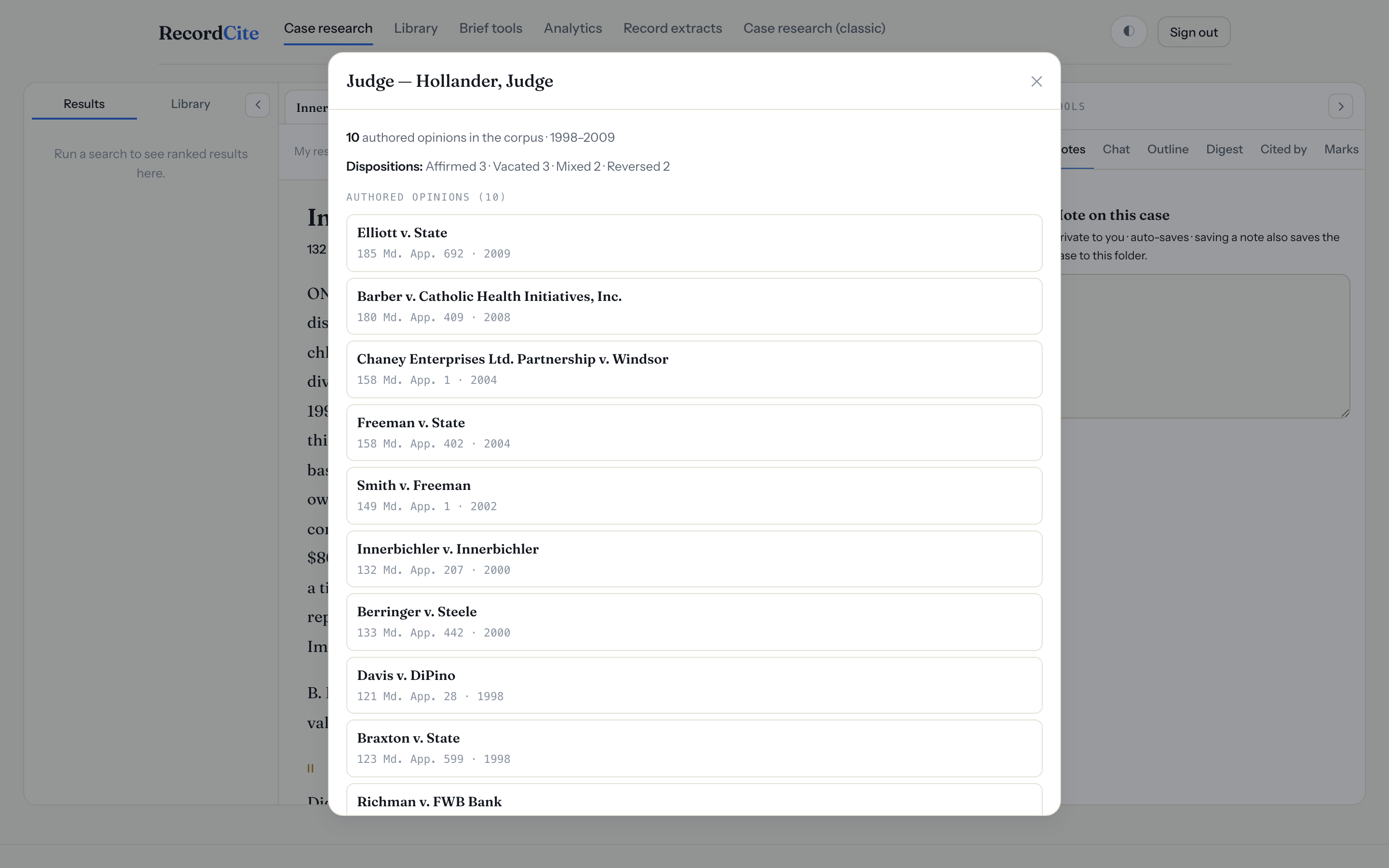
Click the authoring judge to see their opinion count, the years they sat, their disposition mix, and a clickable list of recent opinions.
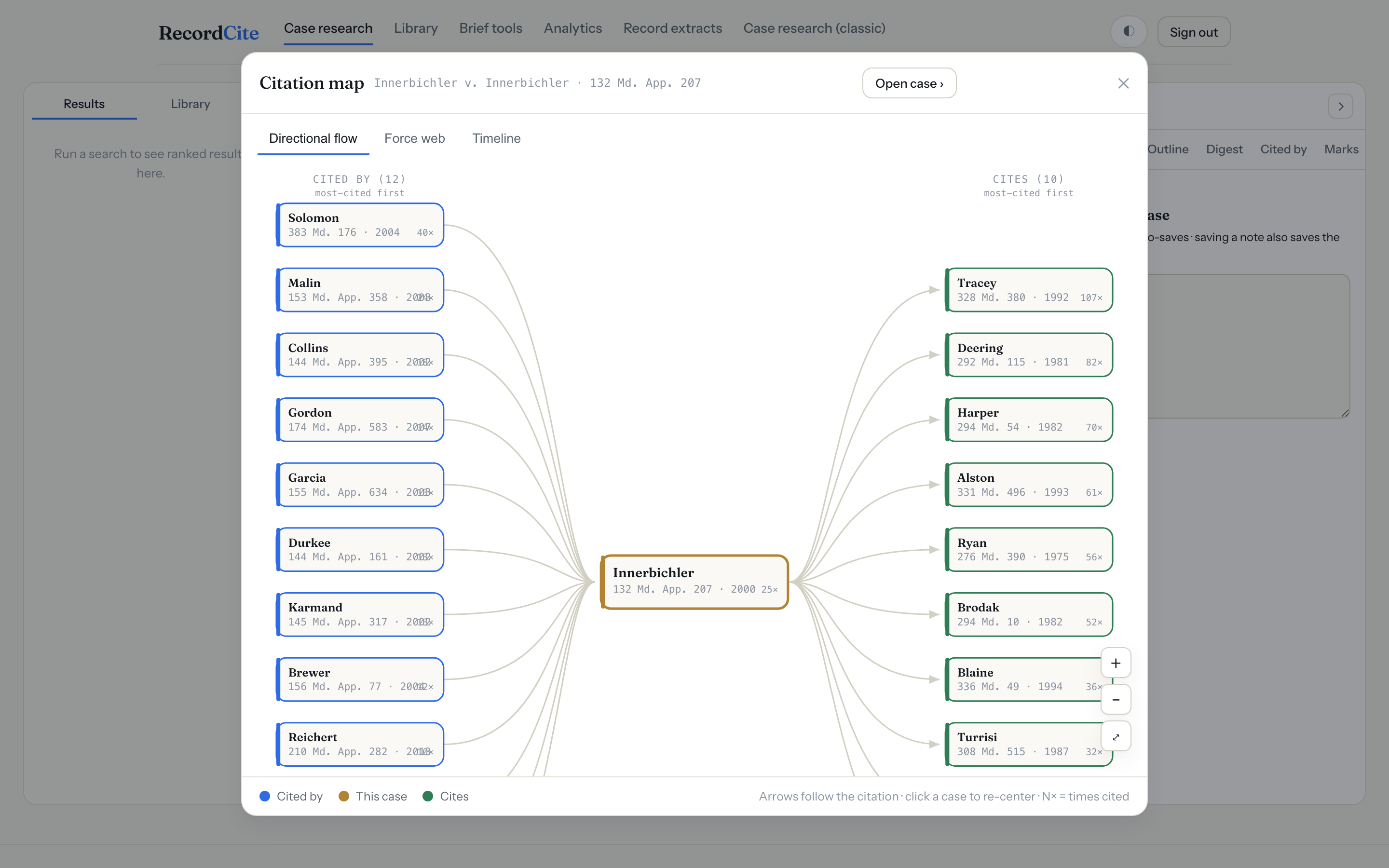
See a case's citation network as a directional flow, a force-directed web, or a timeline (y-axis = times cited). Zoom, pan, hover for detail, click to re-center.
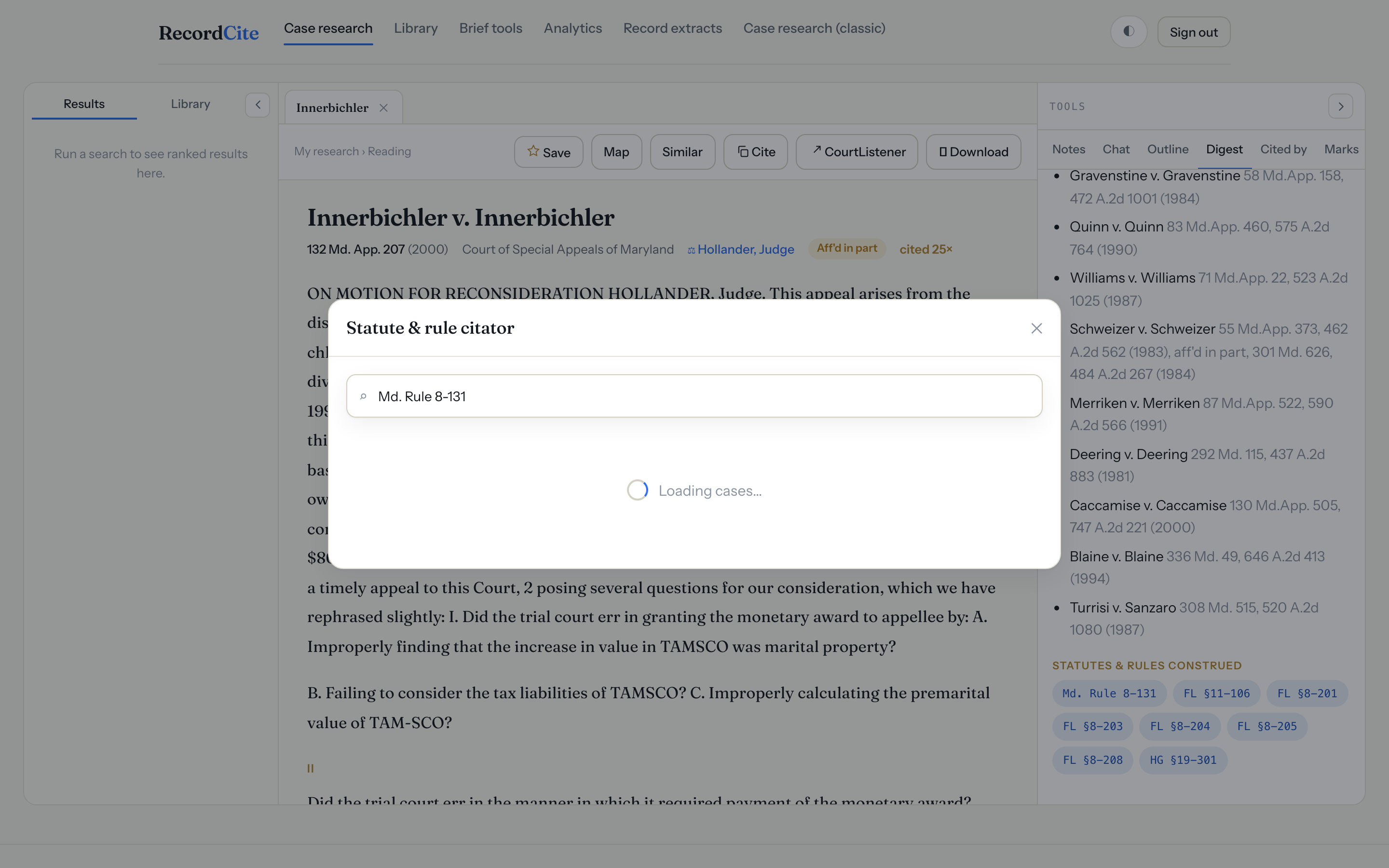
Every statute and rule a case construes is a chip — click it to see all the Maryland cases construing that provision, ranked by authority.
Grounded, citable AI — never a hallucinated case.
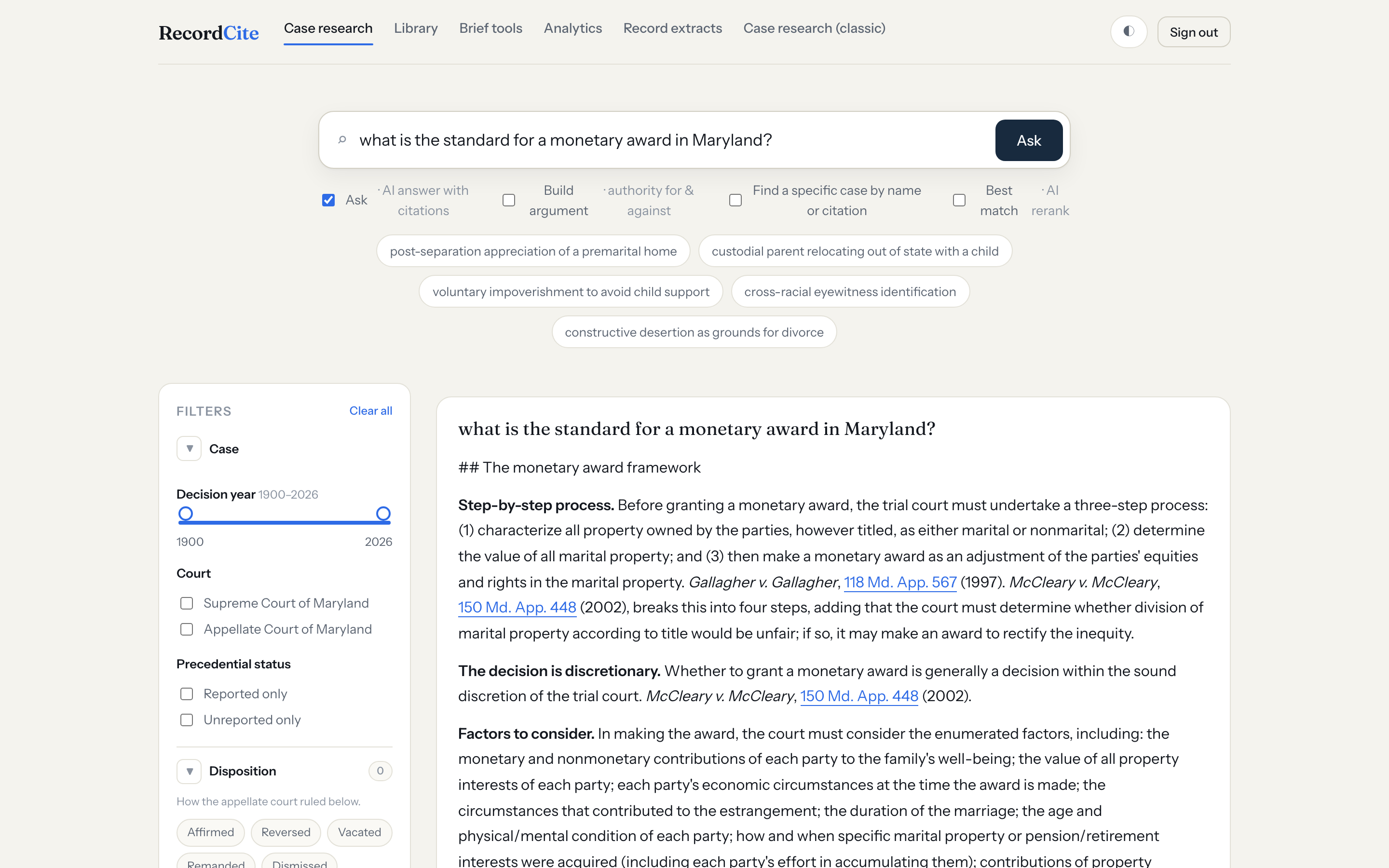
Ask a plain-English question and get a synthesized answer grounded in — and citing — real Maryland opinions, with clickable source cards. Every citation is verifiable.
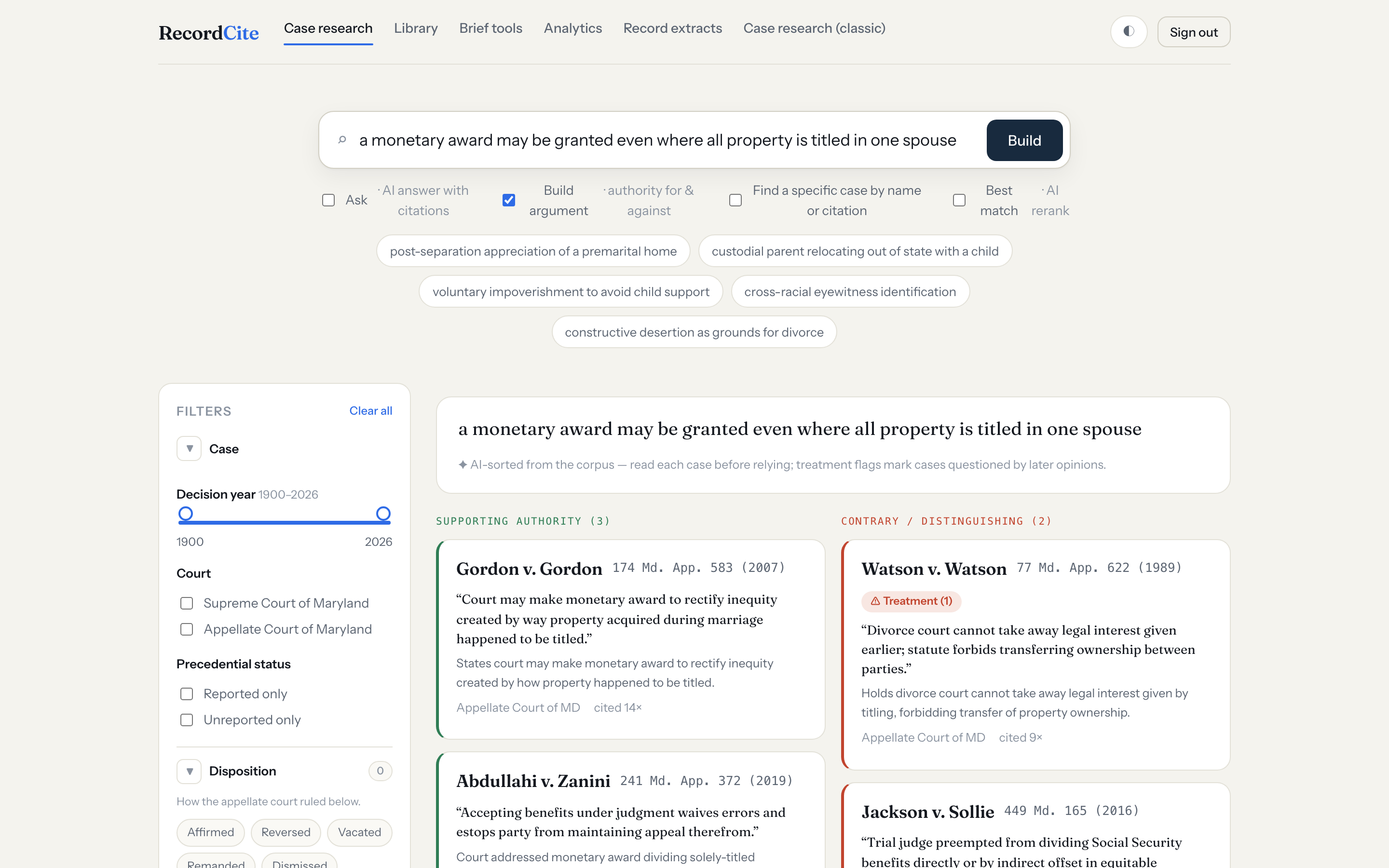
State a proposition and the corpus authority is sorted into supporting and contrary/distinguishing columns, each case with a one-line reason, a rule, and a treatment flag.
Verify and assemble the authorities in a brief.
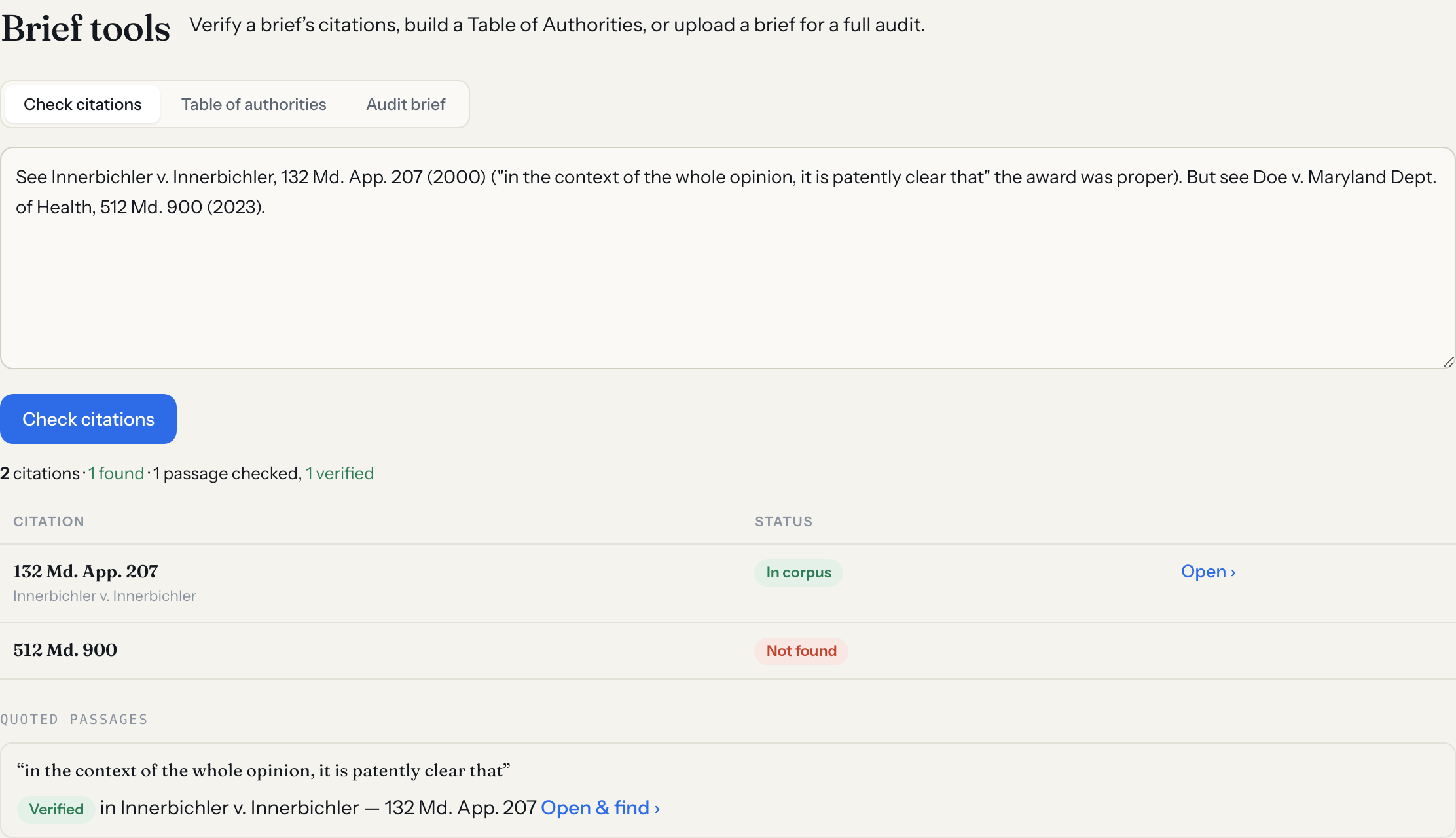
Paste a brief or AI-drafted passage; every case citation is checked against the corpus and every quoted passage verified — catching fabricated cites and misquotes.
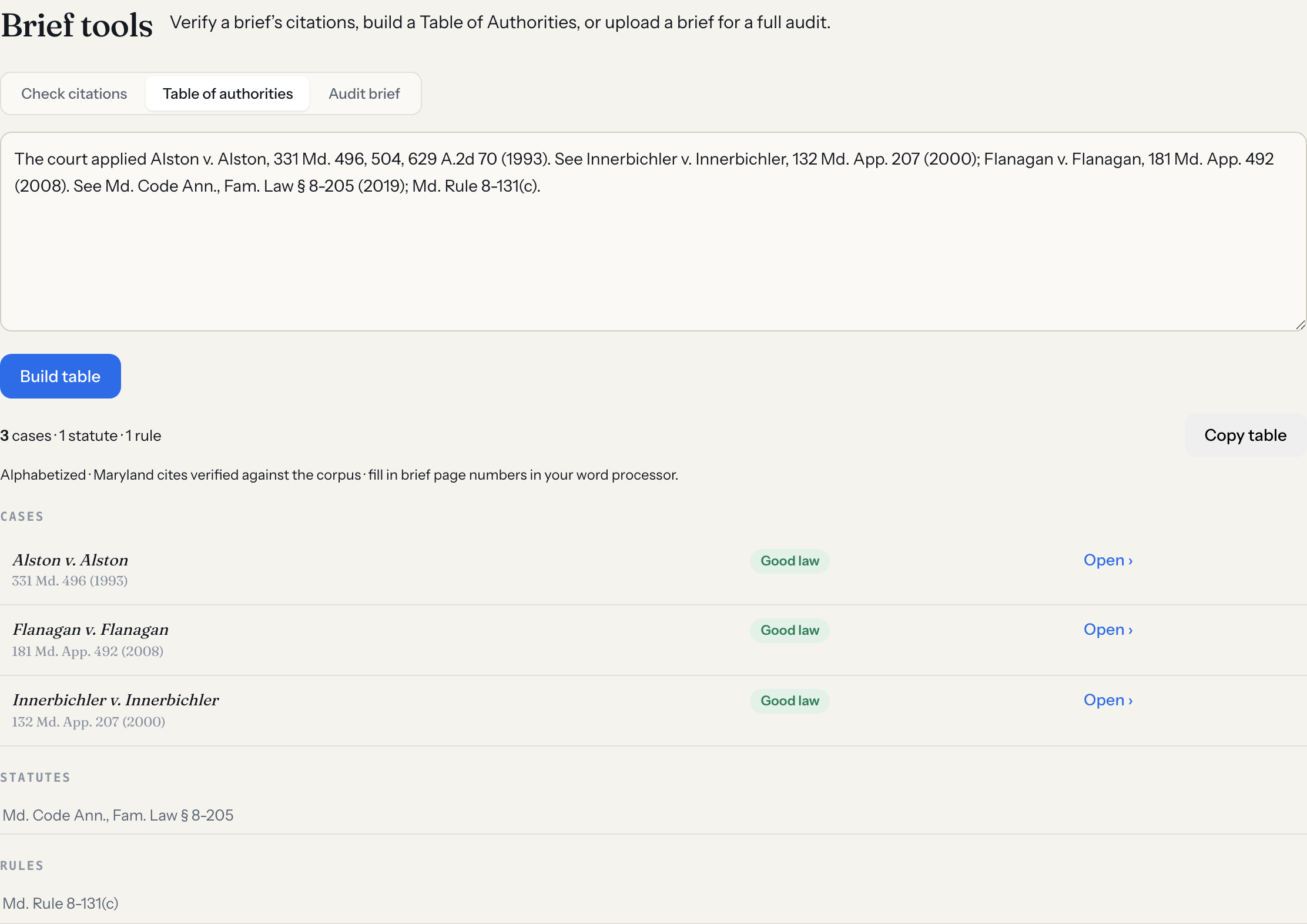
Paste a brief and get a formatted, alphabetized Table of Authorities — cases, statutes, and rules — with Maryland cases canonicalized and flagged for good law. One-click copy.
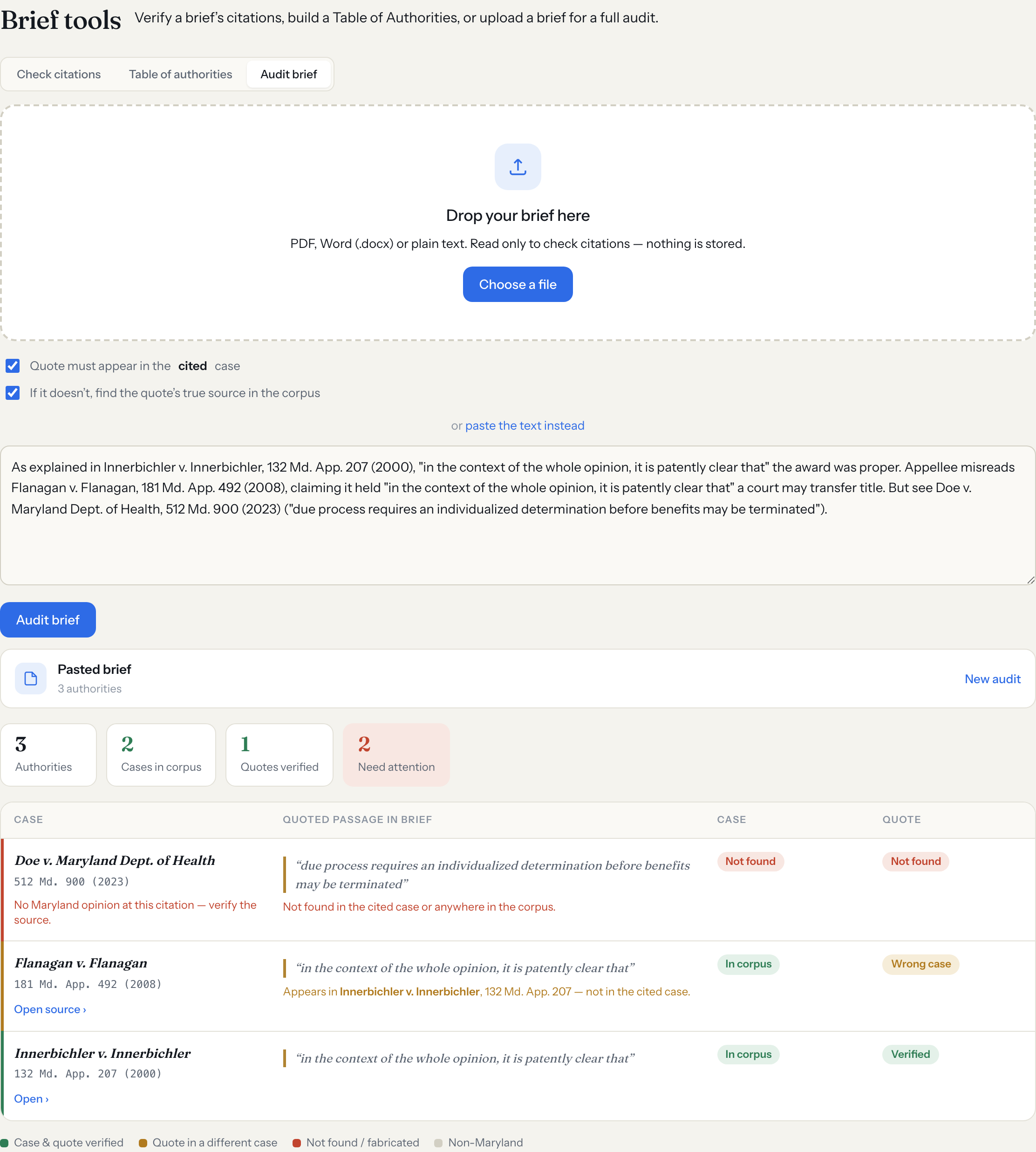
Upload a PDF or Word brief and get a table pairing each cited case with its quoted passage — validating the case against the corpus and the quote against that specific case, flagging misquotes and fabricated citations.
Keep every matter's research together.
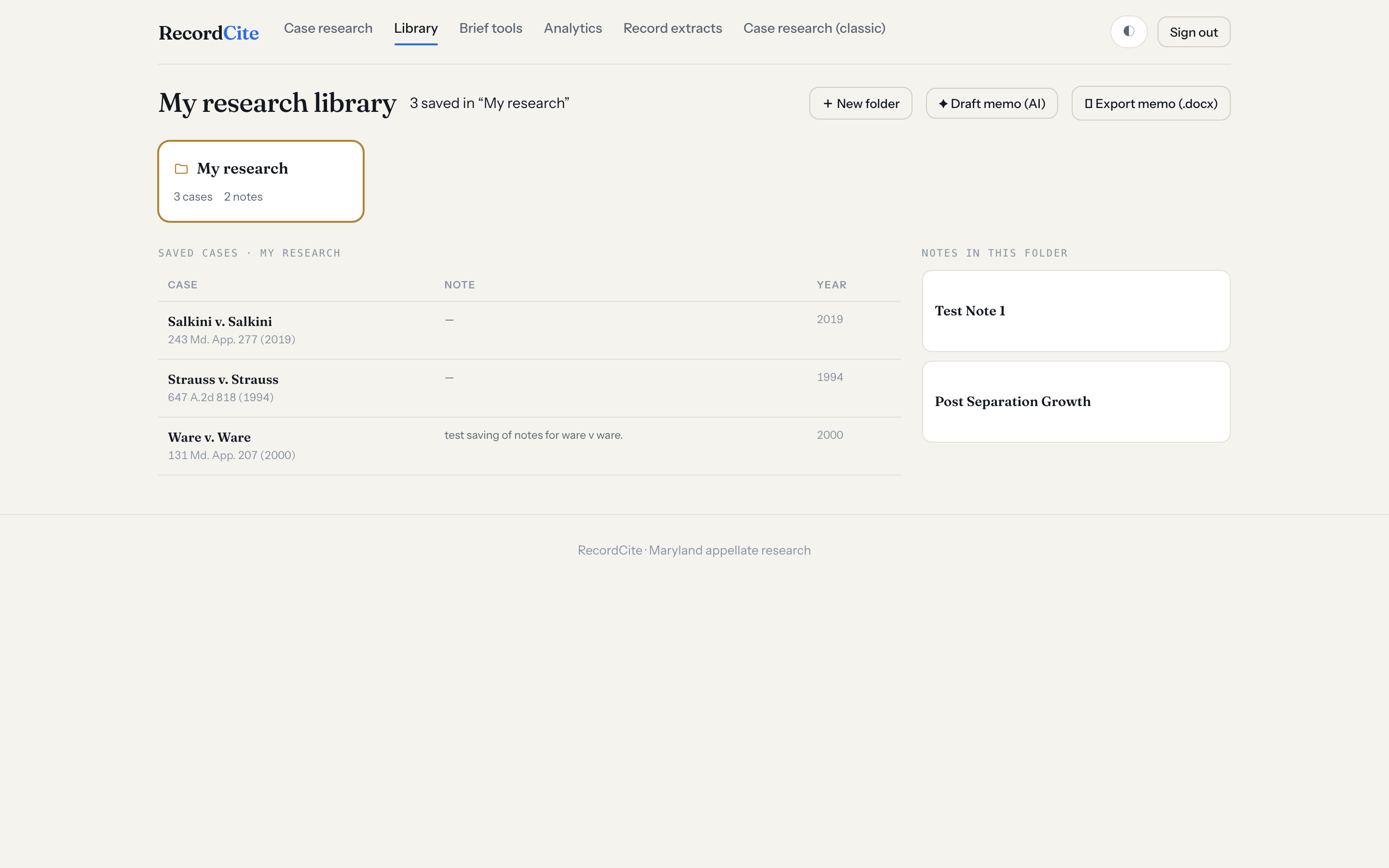
Save cases into folders, add per-case notes and free-form notes, and draft a memo from a folder's cases, your notes, and highlighted quotes with one click.
See it before you sign in.
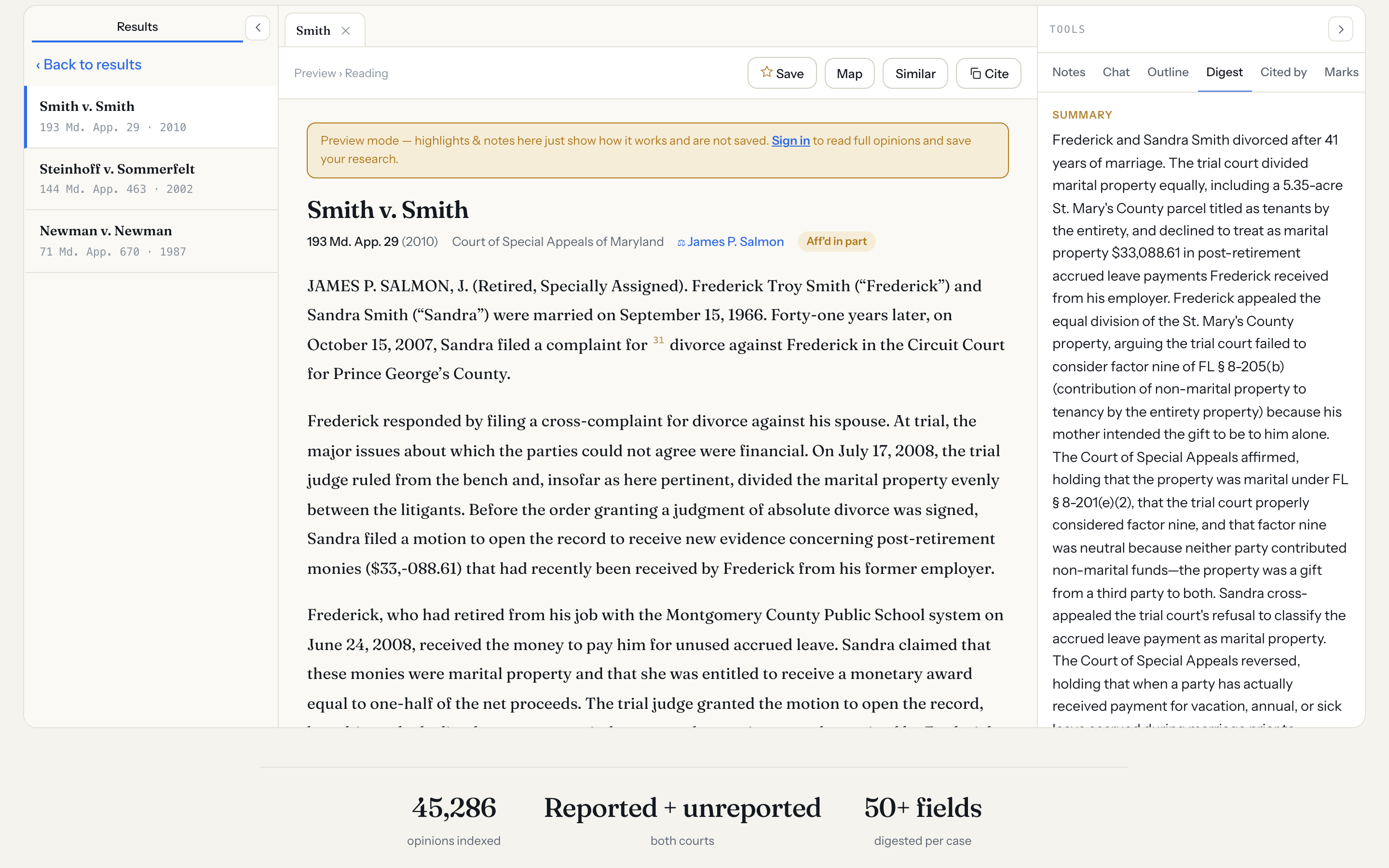
Anyone can search and open a case, read a preview, and try highlighting and notes — nothing is saved, no account needed — before signing in for the full workspace.
Search by meaning, read with your annotations, check a brief's authorities, and let AI draft with cases that actually exist.